
TL;DR:
- A dedicated 110V circuit with proper amperage is essential for a reliable photo booth at a corporate venue. Proper power planning prevents outages, damage, and performance issues during events. Early coordination with venue staff ensures safety, circuit isolation, and smooth setup for flawless operation.
A reliable photo booth power supply at a corporate venue is defined as a dedicated electrical circuit delivering stable voltage and sufficient amperage to run booth equipment without interruption throughout the entire event. Getting this right is the single most important technical decision you will make during your corporate event photo booth planning process. A tripped breaker mid-event does not just kill the fun. It damages your reputation with clients and executives who expect flawless execution. The good news is that power problems are almost entirely preventable when you know the right specifications and protocols before setup day.
What are the photo booth power supply requirements for a corporate venue?
The industry standard for professional photo booths is a dedicated 110V circuit with 10–20 amps, depending on the booth type and its components. A standard open-air booth with a DSLR camera and LED lighting typically draws 10–15 amps. A 360° video booth or a glam booth with high-output ring lights and a dye-sublimation printer can push that closer to 20 amps.
“Dedicated circuit” is the key term here. It means the outlet your booth uses is not shared with any other device on the same breaker. This is not a preference. It is a technical requirement for stable operation.
Here is a quick reference for typical booth power needs:
| Booth type | Voltage | Amperage draw | Circuit type |
|---|---|---|---|
| Open-air photo booth | 110V | 10–12 amps | Dedicated 15A circuit |
| Mirror or glam booth | 110V | 12–15 amps | Dedicated 15A circuit |
| 360° video booth | 110V | 15–20 amps | Dedicated 20A circuit |
| AI or robot photo booth | 110V | 15–20 amps | Dedicated 20A circuit |
Outlet location matters just as much as circuit capacity. Power outlets within 25–50 feet of the booth location are the standard guideline. Beyond 50 feet, you need a heavy-duty, event-grade extension cord rated for the full amperage load. A standard household extension cord will not cut it. Undersized cords cause voltage drops that can crash booth software or damage printers mid-print.
Pro Tip: Ask your venue coordinator for a copy of the electrical panel map before your walkthrough. Knowing which outlets share breakers saves you from discovering the problem during setup.

How do you safely set up and manage photo booth cabling at events?
Safe cable management is where most power problems actually originate. The setup process follows a clear sequence that protects both your equipment and your guests.
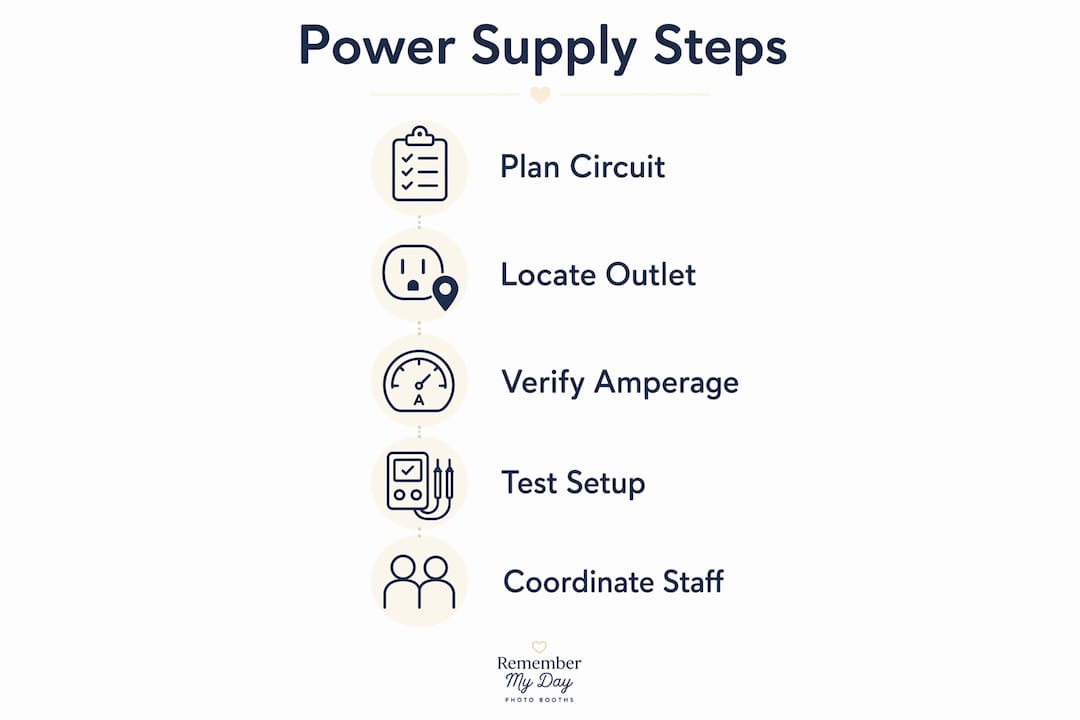
- Identify your dedicated outlet first. Confirm with venue staff that the outlet is on its own breaker before you plug in anything. Test it with a simple outlet tester before connecting booth equipment.
- Run a single heavy-duty cord. Daisy-chaining extension cords is a fire hazard and a voltage drop risk. Use one properly rated cord from the outlet to the booth. A 12-gauge, 20-amp-rated cord is the right choice for most setups.
- Secure all cables to the floor. Use gaffer tape, not duct tape. Gaffer tape secures cables cleanly and peels off without leaving residue on venue floors. Run cables along walls or under carpet edges wherever possible to eliminate tripping hazards.
- Add a surge protector at the booth. Plug the booth’s power strip into the end of your extension cord. This gives you a buffer against voltage spikes and a convenient shutoff point.
- Check GFCI protection for outdoor setups. Outdoor corporate events require GFCI-protected outlets as a non-negotiable safety standard. If the venue’s outdoor outlets lack GFCI protection, bring a portable GFCI adapter. Pair this with a tent or canopy to shield equipment from sunlight, wind, and moisture.
Pro Tip: Never share a circuit with the DJ, bar equipment, or catering warmers. Sharing circuits with entertainment equipment is the leading cause of breaker trips during corporate events. Request a separate circuit in writing when you confirm your venue booking.
How do you troubleshoot common power issues during corporate events?
Power problems during a live event feel urgent, but most have fast solutions when you know what to look for.
- The booth shuts off suddenly. The most likely cause is a tripped breaker from a shared or overloaded circuit. Go to the electrical panel with a venue staff member, reset the breaker, and immediately unplug any non-booth devices sharing that circuit.
- The printer freezes or produces poor-quality prints. This usually signals a voltage drop, not a hardware failure. Check whether another high-draw device was plugged into the same circuit after setup. Printers cause current spikes when they heat up, and a shared circuit cannot always absorb that load.
- The booth powers on but software crashes repeatedly. Unstable power delivery is the culprit. A surge protector with line conditioning, available at most electronics retailers, smooths out fluctuations before they reach the booth’s computer.
- You need a backup plan. Battery-powered booth units work well for portability but are not designed for events longer than 3–4 hours. For full-day corporate events, hard-wired venue power with a battery backup unit as a secondary option is the right approach.
- The venue electrician is unavailable. Always get the on-call technical contact’s phone number before the event starts. A five-minute conversation during setup can prevent a 30-minute outage during the event.
Testing your full electrical load during the setup window, before guests arrive, is the single most effective way to catch problems early. Plug everything in, run the booth through a full print cycle, and watch the circuit for 10 minutes.
What are the best practices for coordinating power with venue staff?
Effective coordination with venue technical teams prevents the majority of power-related surprises. Working with venue staff to verify circuit maps and outlet conditions before event day is the professional standard for any corporate photo booth setup.
Start the conversation at least two weeks before the event. Send your venue contact a one-page power spec sheet that lists your voltage requirement, amperage draw, preferred outlet location, and cord routing plan. This gives their team time to confirm availability or flag conflicts with other vendors, including catering setups that often draw significant power from the same panels.
During your venue walkthrough, confirm the following with technical staff:
- The assigned outlet is on a dedicated breaker with no other active loads
- The outlet is in good condition with no visible damage or loose connections
- The panel location is accessible to staff during the event
- Gaffer tape or cable covers are permitted on the venue floor
- A backup outlet on a separate circuit is identified in case of failure
Schedule your photo booth setup to begin at least 60–90 minutes before guests arrive. That window covers assembly, cable routing, load testing, and any adjustments needed after the initial power check.
Pro Tip: Ask the venue to label the booth’s dedicated breaker with a piece of tape before the event. If a trip happens, staff can find and reset the correct breaker in seconds instead of guessing.
Key Takeaways
A dedicated 110V circuit with proper amperage, isolated from all other event equipment, is the foundation of a reliable photo booth power supply at any corporate venue.
| Point | Details |
|---|---|
| Dedicated circuit required | Use a 110V, 10–20 amp circuit isolated from catering, DJ, and bar equipment. |
| Outlet proximity matters | Keep the power source within 25–50 feet; use a heavy-duty cord for longer runs. |
| No daisy-chained cords | Run a single rated extension cord to eliminate fire risk and voltage drops. |
| GFCI for outdoor events | Always use GFCI-protected outlets and weatherproofing for any outdoor setup. |
| Coordinate early with venue | Send power specs two weeks out and confirm circuit maps during your walkthrough. |
Why power planning is the most underrated part of corporate event success
We have set up photo booths at hundreds of corporate events across San Antonio, and the pattern is consistent. The events that run flawlessly are the ones where the planner treated power logistics with the same seriousness as catering or AV. The events that hit snags almost always trace back to a shared circuit or a last-minute extension cord decision.
Here is the uncomfortable truth most vendors will not say out loud: a beautiful, fully branded photo booth means nothing if it goes dark 45 minutes into a client appreciation dinner. The guest experience lives or dies on uptime. And uptime is an electrical problem, not a software problem.
We have also seen planners assume that because a venue is “tech-forward” or recently renovated, the power infrastructure is automatically photo-booth-ready. That assumption is wrong more often than you would expect. New venues sometimes have beautiful finishes and outdated panels. Always verify. Never assume.
The best vendors bring their own surge protection, their own gaffer tape, and their own outlet tester. They arrive with a power plan, not just a booth. When you are evaluating event photo booth solutions for your next corporate event, ask the vendor directly: “What is your power setup protocol?” The answer will tell you everything about their professionalism.
— RMD
Rmdphotobooths brings the expertise your corporate event deserves
At Rmdphotobooths, we handle every technical detail so you can focus on your guests. Our team arrives with a complete power setup plan for every corporate event, including dedicated circuit verification, event-grade cabling, and full load testing before the first guest walks in.

From traditional photo booths to 360° experiences and AI-powered activations, every Rmdphotobooths setup is backed by over 1,000 five-star reviews and a team that genuinely loves making corporate events shine. We serve San Antonio and surrounding areas with the kind of reliability that keeps planners coming back year after year. Ready to create those “wow” moments at your next event? Browse our experiences or book your date today.
FAQ
What electrical outlet does a photo booth need at a corporate venue?
A photo booth requires a dedicated 110V outlet on a 10–20 amp circuit, isolated from other high-draw equipment. Sharing a circuit with catering warmers or DJ gear is the most common cause of breaker trips during events.
How far can a photo booth be from the power outlet?
The recommended maximum distance is 25–50 feet using a standard event-grade cord. Beyond 50 feet, use a single heavy-duty 12-gauge extension cord rated for the full amperage load to prevent voltage drops.
Do outdoor corporate photo booths need special power setup?
Yes. Outdoor setups require GFCI-protected outlets and weatherproofing such as a tent or canopy. If the venue’s outdoor outlets lack GFCI protection, bring a portable GFCI adapter as a safety measure.
Can a battery-powered photo booth handle a full corporate event?
Battery-powered units are designed for portability, not extended use. For events longer than 3–4 hours, hard-wired venue power is the reliable choice, with a battery unit available only as a short-term backup.
How early should I coordinate power needs with the venue?
Send your power specifications to the venue at least two weeks before the event. Confirm circuit maps and outlet conditions during your walkthrough, and plan for a 60–90 minute setup window before guests arrive.