Live event photo streaming is the process of delivering event photos to guests or an organizer’s gallery in real time, either through guest-driven uploads via QR code and browser, or through a professional photographer streaming camera images directly to the cloud for near-instant viewing. For most San Antonio celebrations, guest-driven streaming wins on participation; professional streaming wins when you need polished, branded imagery and full creative control.
Quick decision signals:
- Guest count and engagement goal: Large parties and weddings benefit most from QR-based guest uploads, where everyone contributes.
- Image quality needs: Corporate events, galas, and sponsor-facing galleries call for professional camera-to-cloud delivery.
- Budget: Guest-driven platforms cost a fraction of a staffed professional streaming setup.
Pro Tip: If you want both high participation and polished imagery, combine both methods: run a guest upload stream on a lobby display while your photographer feeds a curated gallery to the main screen.
Table of Contents
- What is live event photo streaming, and how do the two methods work?
- Why planners add live photo streaming to their events
- What does live photo streaming require technically?
- How to set up live photo streaming before and during your event
- What does live photo streaming cost at U.S. events?
- Which event types benefit most from live photo streaming?
- How to choose a vendor for live photo streaming
- How Rmdphotobooths supports live photo streaming for San Antonio events
- Key Takeaways
- Why live streaming photos is worth the extra planning
- Ready to add live photo sharing to your San Antonio event?
- Useful sources and further reading
What is live event photo streaming, and how do the two methods work?
Two distinct approaches exist, and they serve different planner goals.

Guest-driven uploads rely on attendees’ own phones. Guests scan a QR code or receive an MMS number, open a browser page, and upload photos without downloading any app. That no-app flow is the key. Requiring an app download creates friction that kills participation, so browser-based upload is the standard best practice for guest-driven streaming. Images appear on a live display within seconds, and the full gallery is downloadable after the event.
Professional real-time delivery uses a camera-to-cloud pipeline. The photographer shoots, and JPEGs transfer automatically from the camera to a mobile device or laptop, then push to an online gallery. Capture One Live is a well-known workflow for this: photographers shoot straight to the cloud, collaborators add color tags and feedback, and clients view curated images from any browser in real time. RAW files stay on the card for full post-event editing.
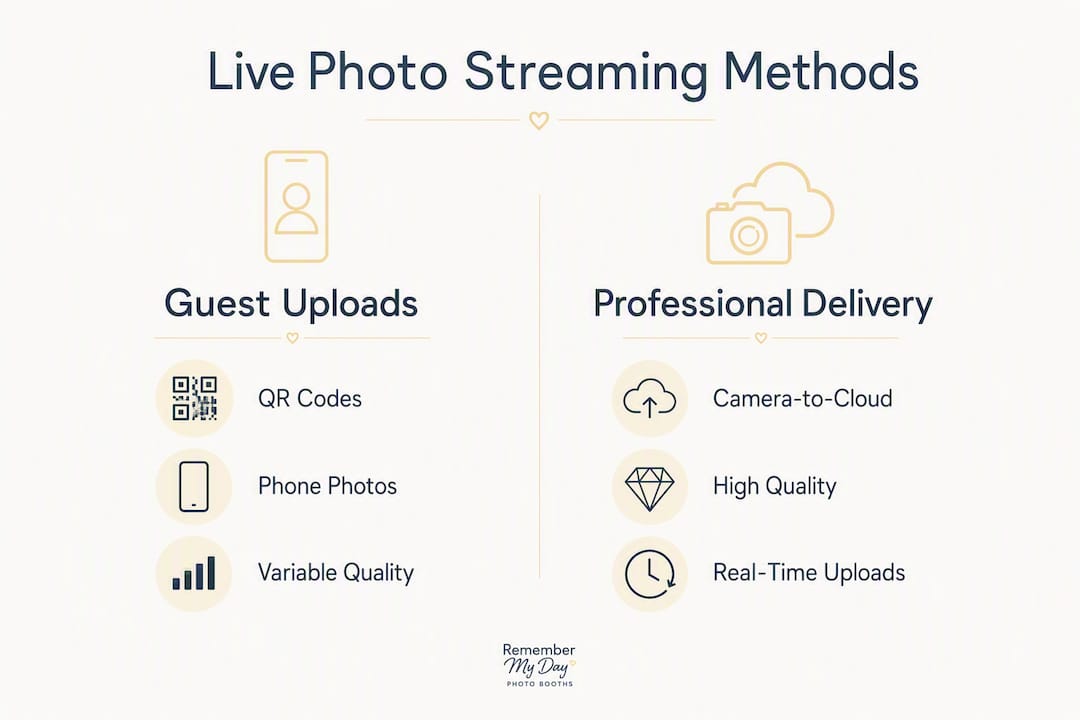
| Feature | Guest-driven uploads | Professional real-time delivery |
|---|---|---|
| Image quality | Variable (phone cameras) | Consistent (pro camera) |
| Participation | Very high | Photographer only |
| Moderation need | High | Moderate |
| Staffing | Minimal | Photographer + moderator |
| Cost | Lower | Higher |
| Best for | Parties, weddings, casual events | Corporate, galas, branded galleries |
Pro Tip: Place QR codes at every table and near the bar, not just at the entrance. Guests who see the code mid-event are just as likely to participate as those who saw it on arrival.
Why planners add live photo streaming to their events
The core appeal is simple: guests today expect instant content. Real-time photo sharing closes the gap between the social media culture guests live in and the slow traditional delivery cycle that used to define event photography.
The benefits stack up quickly for planners:
- Guest engagement: Watching your own photo appear on a big screen is a genuine crowd moment. It keeps energy high and gives guests a reason to interact with the booth or photographer all night.
- Social amplification: Guests share live gallery links and their own uploads to Instagram and TikTok during the event, extending your reach far beyond the room. Interactive photography consistently drives higher post-event social traction.
- Branded gallery and lead capture: Professional platforms let you add logos, overlays, and email opt-ins to the gallery, turning a fun experience into a marketing asset.
- Client and organizer approvals: For corporate shoots, Capture One Live’s collaborative workflow lets art directors approve or flag images during the shoot, not days later.
Stat to know: Kamero positions real-time delivery as a premium add-on that increases guest engagement and justifies higher event photography pricing, reflecting how much guests value instant access to their memories.
What does live photo streaming require technically?
Getting this right comes down to three things: hardware, software, and connectivity. Skipping any one of them is where live streams fall apart on-site.
Core hardware checklist:
- Camera with tethering or built-in Wi-Fi/Bluetooth for JPEG transfer
- Laptop or mobile device to run the transfer and upload pipeline
- Dedicated 5G hotspot or bonded cellular router (venue Wi-Fi almost always throttles upstream uploads, which breaks live delivery)
- Display device (laptop, tablet, or smart TV) for the live slideshow
- Backup battery packs for all devices
Software and platform roles:
- Gallery platform (e.g., Capture One Live, EventPix, or Kamero) to receive and display images
- Face-indexing tools if you want guests to find their own photos automatically
- Moderation controls, either automated AI filters or a manual review queue
The JPEG-plus-RAW workflow is the professional standard: JPEGs upload in real time for guest access, while RAW files stay on the card for full post-event editing and final delivery. This balances speed with quality.
Pro Tip: Assign moderation before the event starts, not after the first awkward photo appears on the main screen. Even with AI filters, a named human moderator with fast-approval controls keeps the slideshow safe and on-brand.
How to set up live photo streaming before and during your event
A smooth live stream is built the week before, not the morning of.
Pre-event (one to two weeks out):
- Select and configure your platform; set up gallery branding, overlays, and any email opt-in fields.
- Draft photo release and consent language; confirm it appears on the upload page and on printed signage at the venue.
- Run a full pipeline test: shoot, transfer, upload, and display. Time each step so you can give your client a realistic delivery promise.
- Check venue connectivity; if upload speeds are under 10 Mbps, plan to bring your own cellular backup.
Day-of timeline:
- Arrive 60–90 minutes early for equipment staging and network testing.
- Set up the moderator station with clear sight lines to the display screen.
- Place QR codes and printed instruction cards at tables, near the bar, and at the photo booth.
- Run one full test upload before guests arrive.
During the event:
- Monitor the upload queue every 15–20 minutes.
- Curate and moderate images before they hit the main display.
- If connectivity degrades, switch to your cellular hotspot immediately; do not wait to see if it recovers.
Pro Tip: Download printable PDF instruction cards in advance and leave them on guest tables. Guests who see clear instructions mid-event participate at the same rate as those briefed at the door.
What does live photo streaming cost at U.S. events?
Pricing varies widely based on method and scope. Guest-driven platforms like PhotoStream.Live offer packages starting at $49 for a standard event stream, with complete packages including AI moderation available at $89. Professional camera-to-cloud streaming, which requires a photographer, a moderator, connectivity hardware, and a gallery platform, sits at a significantly higher price point as a premium add-on service.
Primary cost drivers:
- Photographer and moderator staffing hours
- Platform fees (per-event or per-photo pricing models)
- Dedicated connectivity hardware (5G hotspot or bonded router rental)
- Display rentals for live slideshows
- Post-event editing and final gallery delivery
Real-time delivery platforms often offer pay-per-event pricing, which lets photographers and planners price live delivery as a premium line item rather than bundling it into a flat package.
Questions to ask any vendor before signing:
- Is moderation included, or is it an add-on?
- What is the per-photo or per-event cap, if any?
- Who owns the images, and how long does the platform retain them?
- What is the delivery format and timeline for the final gallery?
Which event types benefit most from live photo streaming?
Not every event needs the same setup. Here is what tends to work by scenario:
- Weddings: A mix of professional streaming for ceremony and portrait moments, plus a guest-driven QR upload for the reception, gives you both quality and participation. Private party planning guides often recommend this hybrid approach for larger guest counts.
- Corporate conferences: Professional delivery shines here, especially for headshots and keynote coverage where branded galleries and fast approvals matter.
- Birthday parties and celebrations: Guest-driven uploads are the sweet spot. High participation, instant social sharing, and lower cost make this the go-to for casual San Antonio celebrations.
- Galas and fundraisers: Curated professional streaming keeps sponsor logos and branded overlays front and center on the main display, which matters for event marketing ROI.
When both methods are running simultaneously, assign one display to the curated professional feed and a second to the guest upload stream. Guests love seeing both.
How to choose a vendor for live photo streaming
The right vendor has done this before, locally, and can prove it.
Vendor checklist:
- Local San Antonio references or a portfolio of similar events
- No-app QR upload option with browser-based guest flow
- Built-in moderation controls (automated and manual)
- Branded gallery with custom overlays and opt-in fields
- Documented backup connectivity plan (cellular hotspot or bonded router)
- Clear SLA for upload-to-display time and post-event gallery delivery
Numbered red flags to watch for:
- No moderation process described in the proposal
- Reliance on venue Wi-Fi with no cellular backup plan
- Missing proof of liability insurance
- Vague or absent delivery timeline for the final gallery
- No clear statement of image ownership and platform data retention
Ask for a sample contract that specifies deliverables, photo counts, ownership rights, and the exact post-event gallery delivery window before you commit.
How Rmdphotobooths supports live photo streaming for San Antonio events
Rmdphotobooths brings over 1,000 five-star reviews and deep local experience across weddings, corporate events, galas, and private celebrations throughout San Antonio. That track record matters when you need a vendor who knows how to set up and run a live gallery in a real venue, not just in a demo environment.
Our photo booth experiences are built to support live photo sharing from the ground up:
- No-app QR gallery options so every guest can participate without friction
- On-site moderation workflow built into every staffed setup
- 360° booths, Glambot cinematic booths, AI-powered booths, and traditional booths, all with instant digital delivery
- Studio lighting and custom branded overlays for polished, sponsor-ready galleries
- Cellular backup planning discussed at the quote stage, not discovered on event day
When you request a quote, expect a clear timeline, a breakdown of deliverables, and honest guidance on which setup fits your guest count and goals.
Key Takeaways
Live event photo streaming works best when you match the method to your event goals, confirm connectivity before the day, and assign a dedicated moderator.
| Point | Details |
|---|---|
| Two core methods | Guest-driven QR uploads maximize participation; professional camera-to-cloud streaming delivers consistent quality. |
| No-app UX is critical | Browser-based QR uploads remove friction and keep guest participation high. |
| Connectivity is the top risk | Bring a dedicated 5G hotspot; venue Wi-Fi typically throttles upstream uploads. |
| Moderation is non-optional | Assign a named human moderator before the event starts, even when AI filters are active. |
| Rmdphotobooths for San Antonio | Rmdphotobooths offers no-app QR galleries, moderation workflows, and 360/Glambot/AI booth integrations with 1,000+ five-star reviews locally. |
Why live streaming photos is worth the extra planning
Here is the honest take: most planners underestimate how much the display matters compared to the delivery. Everyone focuses on getting photos to guests fast, which is right. But the real magic happens when those photos appear on a large screen in the room, in real time, where the whole crowd can react together. That communal moment is what separates live streaming from just sending a gallery link after the event.
The other thing planners consistently underestimate is moderation. A single inappropriate image on a main ballroom screen can derail an otherwise perfect evening. The fix is not complicated, but it requires assigning a specific person to the job before the event starts, not hoping the automated filter catches everything.
Live photo streaming is not a tech gimmick. When it is set up correctly, with the right method for the event type, a solid connectivity plan, and a human in the moderation seat, it becomes one of the most memorable parts of the night.
Ready to add live photo sharing to your San Antonio event?
Rmdphotobooths makes live photo sharing genuinely easy for San Antonio planners. Instead of piecing together a platform, a photographer, and a connectivity plan separately, you get it all in one local package, backed by a team that has done this hundreds of times across the city.
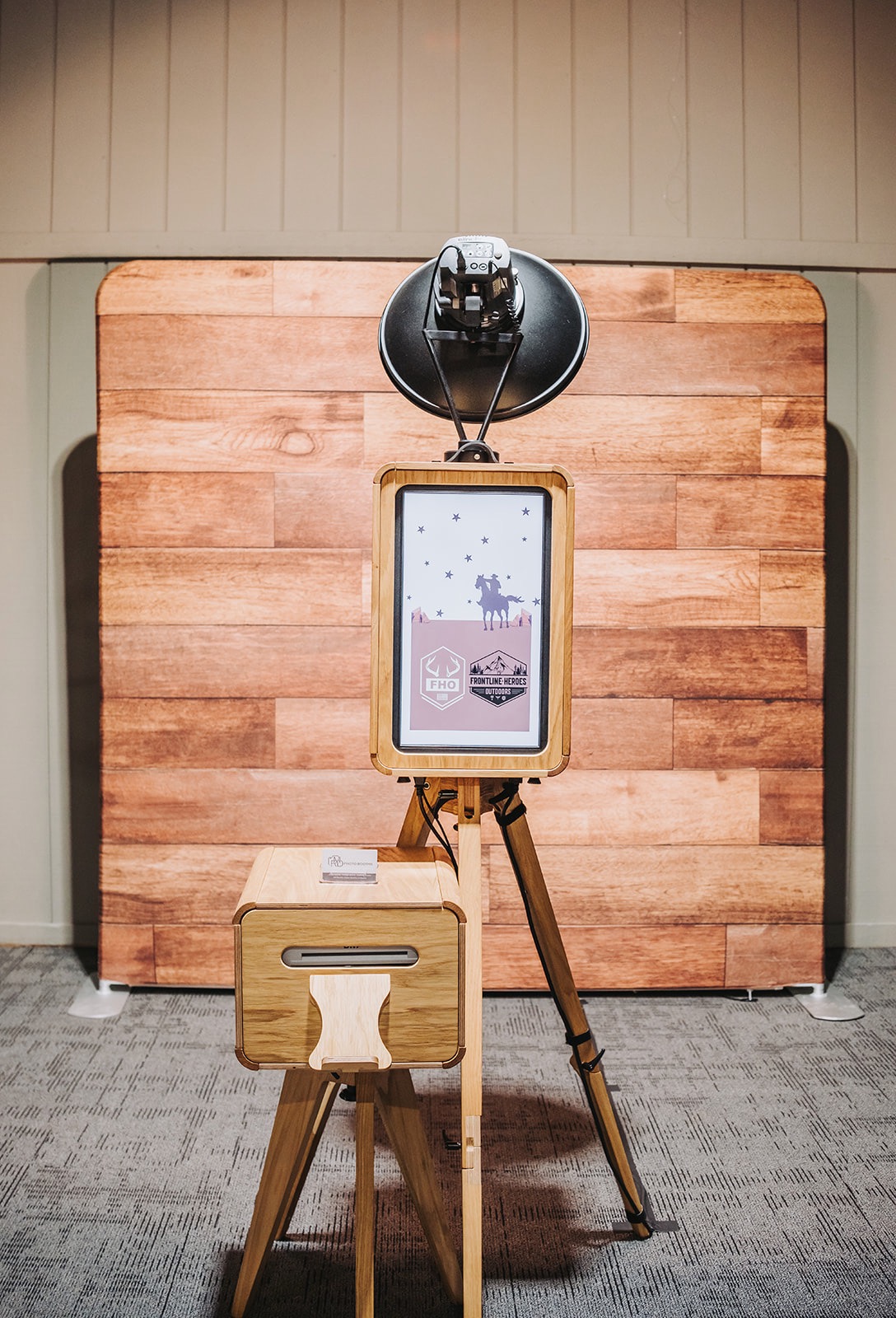
Our photo booth experiences include traditional booths, 360° video booths, Glambot cinematic setups, and AI-powered options, all with instant digital delivery and on-site branding. Every package comes with a clear deliverables timeline and a team that handles setup, moderation, and post-event gallery access for you.
Book your San Antonio event today and we will walk you through the right setup for your guest count, venue, and goals.
Useful sources and further reading
- Capture One Live: Official platform documentation for professional camera-to-cloud streaming workflows, including collaborative review and real-time delivery. Best for understanding the technical pipeline for photographer-led setups.
- Kamero Biz Lab: Real-Time Photo Sharing Guide: Practitioner guide covering delivery timelines, engagement benefits, and pricing strategy for real-time photo sharing at events.
- Honcho: Real-Time Photo Delivery Explained: Practical breakdown of the camera-to-gallery pipeline, JPEG vs. RAW workflow, and speed considerations for live event delivery.
- EventPix.photo: Platform example for QR-based no-app guest uploads and live slideshow display. Useful for understanding the guest-facing UX flow.
- RealTime.Photos: Live event photo sharing platform with pay-per-event pricing examples; useful for understanding U.S. market pricing models.
- PhotoStream.Live: Guest upload platform with MMS and QR options; pricing examples ($49 Standard, $89 Complete) and moderation feature details.
- Rmdphotobooths Experiences: Local San Antonio service overview including booth types, live delivery options, and booking details.
- Digital Photo Booth Advantages for San Antonio Events: Localized context on photo booth technology and live sharing for San Antonio planners.