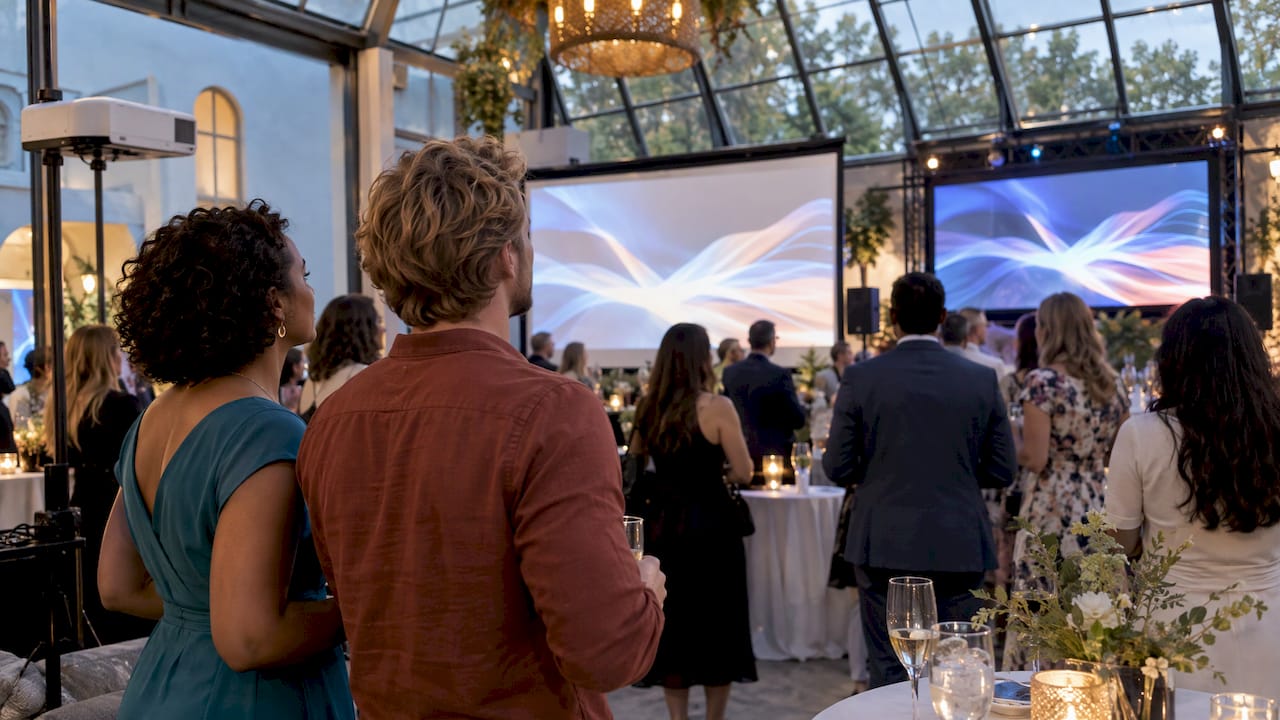
Choose a projector when you can dim the room, have a clean screen surface and want the lower-cost, lighter setup. Choose an LED wall when the room is bright, sunlight or stage lighting is in play, or you want a bold, glowing display that looks great on camera. Everything else comes down to room light, audience distance, rigging, power and budget, and we will walk through each one below.
We are RMD Photo Booths, and we set up at weddings, galas and corporate events across San Antonio and South Texas. Guests gather around screens at nearly every one of them: slideshows, live photo feeds, sponsor loops, dance-floor visuals. We have seen what works in a ballroom and what struggles, so this guide is written for hosts, planners and venue managers who need to decide before the contract is signed.
TL;DR
- Light decides it. Projectors need a dim, controlled room. LED walls produce their own light and hold up in bright spaces and near direct sun.
- Projection is lighter and quicker. A large projection screen can go up in about an hour, while a large LED wall can take about half a day.
- LED costs more in logistics. Expect more cases, more weight, heavier power draw and trained crew.
- Plan the lighting around the screen. Any light that lands on a projection screen washes it out, and your photo area needs its own lighting.
- Match the screen to the distance. The farthest guest should be no more than about 8 image heights away for photos and video.
Table of Contents
- What is the difference between a projector, an LED wall and a video wall?
- Brightness and ambient light: where the two really differ
- Studio lighting vs. ambient light around your screen
- Screen size and viewing distance
- Setup, space, power and transport
- Cost: look at the whole system
- Side-by-side comparison
- A simple decision path
- Our perspective
- Plan your photo experience alongside your screen
- FAQ
- Sources
What is the difference between a projector, an LED wall and a video wall?
A projector throws light from a lens onto a separate surface, usually a screen or a pale wall. The image only exists once that light bounces back to the viewer’s eyes. That is why anything else that lights the screen competes with the picture.
An LED wall is made of tiles, also called cabinets or panels, each packed with tiny light-emitting diodes. The tiles lock together into one large display. Because every pixel is its own light source, the image does not depend on a surface or a beam of light across the room.
A video wall is the broader term. It means any large display built from several smaller screens working as one. Many video walls are made from LCD panels with thin borders, and an LED wall is one kind of video wall. When a search treats “video wall vs. projector” and “LED wall vs. projector” as the same question, that is usually because event planners mean the LED version. For events, the real choice is nearly always between projection and direct-view LED.
Brightness and ambient light: where the two really differ
This is the section that decides most events.
Brightness is measured differently for each technology. Projectors are rated in ANSI lumens, which describe total light output. LED walls are rated in nits, which describe the light coming off each square meter of the surface. According to LEDTEK, event projectors in the 12,000 to 15,000 ANSI lumen range are standard, while LED walls run at about 1,200 nits indoors and up to 5,000 nits outdoors, and usually only need 40 to 50 percent of their maximum brightness.
Those numbers do not compare directly, and the useful comparison is contrast: how much brighter the white parts of the picture are than the black parts in the actual room. Ambient light lifts the black level of a projected image because it falls on the same screen. The picture looks faded. An LED wall emits light toward the viewer, so room light has a much smaller effect on it.
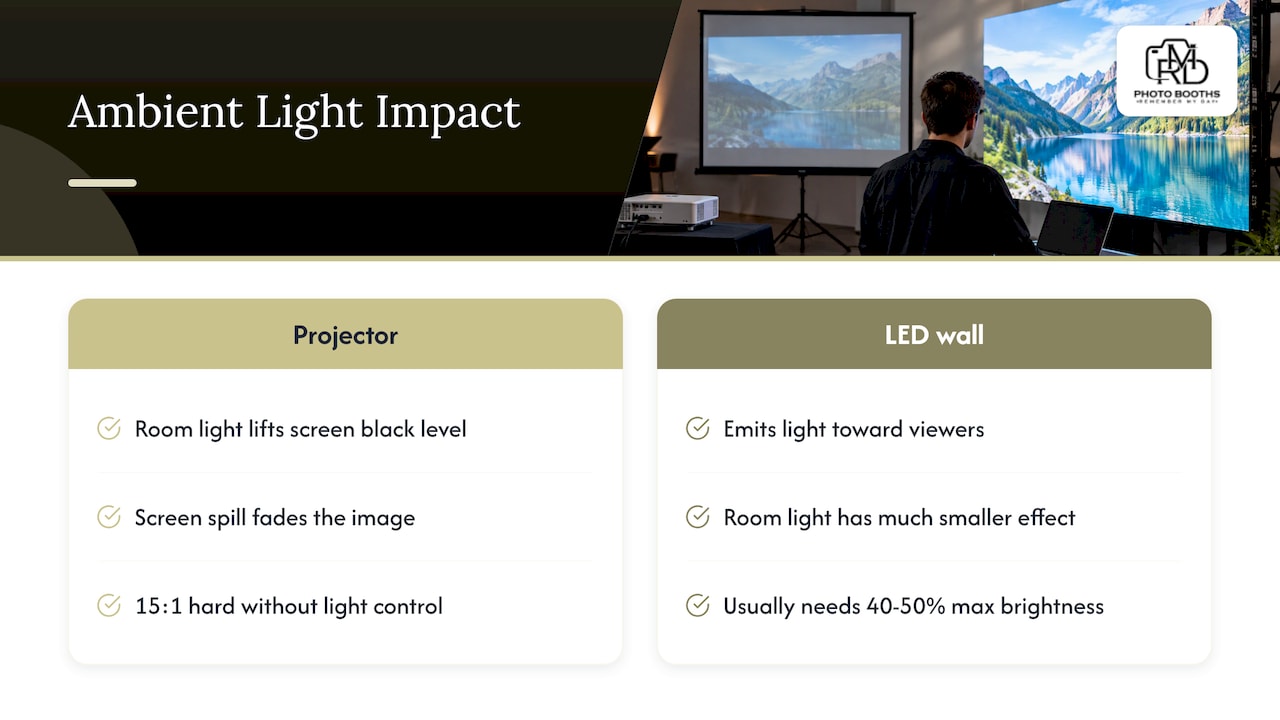
There is an industry yardstick for this. AVIXA’s Image System Contrast Ratio standard defines four contrast ratios tied to what viewers need to do with the content, and it applies to temporary and permanent systems whatever the technology, including direct view display, rear projection and front projection. One UK screen specialist points out that the 15:1 minimum for basic decision-making content is hard to reach in projection without either full lighting control or an ambient-light-rejecting screen. You do not need to memorize ratios. The takeaway is simple: if your room cannot go dim, projection needs help.
A quick light check for your venue
Walk the room at the same time of day as your event and ask:
- Are there windows or skylights that face the screen position?
- Will the dance floor, uplighting or a stage wash fall on the screen?
- Is any part of the event outdoors, on a patio or under a tent with open sides?
- Will guests view the screen while the room is fully lit, such as during cocktail hour?
Two or more yeses point toward LED. Mostly noes, especially an evening reception with a dim ballroom, point toward projection. ProjectorCentral’s guide lands in the same place: projection suits a suitable screen, controlled light and a tighter budget, and direct-view LED is the better answer when strong ambient light, especially direct sunlight, would defeat a projector.
Studio lighting vs. ambient light around your screen
People often ask about studio lighting versus ambient light because the two fight each other near a display. Here is how we think about it at events.
Ambient light is the general light in the room: windows, ceiling fixtures, chandeliers, string lights, candles and the glow of the bar. It is the main enemy of projection.
Studio lighting is directed, purposeful light, such as the soft lights that make faces look good in a photo booth. It is controlled, and it is usually aimed at people, not at a screen.
Some practical rules:
- Aim light at people, never at the screen. Spill on a projection screen lowers contrast right away. Use flags, barn doors or simply a different angle.
- Separate the zones. Put your photo area and your screen in different parts of the room, or at least angle them so the booth lights do not hit the screen.
- Dim the right things. Chandeliers and wall sconces near a projection screen can often be dimmed or switched off for a slideshow while the rest of the room stays lit. Ask the venue which circuits are separate.
- Mind the camera. If a live camera feed is going to the wall, bright stage lights behind a subject can blow out the image on either technology. Test the angle before guests arrive.
- Skip the sunlight problem entirely by scheduling slideshows and big video moments after sunset, or by choosing LED for daytime events.
Our booths bring their own studio lighting, so the portrait light is handled and your guests look their best whatever the room is doing. The screen question stays separate: put the booth in a spot where its light and your display do not overlap. If you want help placing both, tell us the venue when you book and we will talk it through.
Screen size and viewing distance
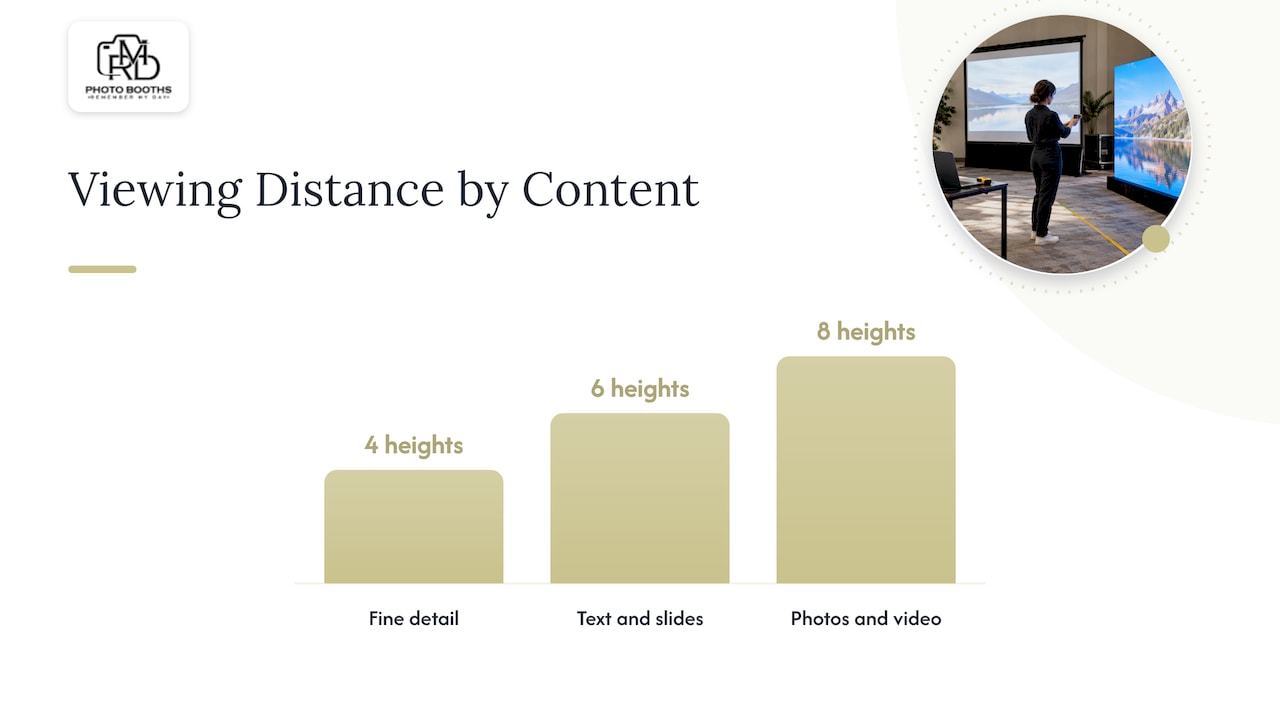
A screen that looks huge on a spec sheet can still disappoint if guests are too far away. A handy rule of thumb is the Four-Six-Eight Rule described on AV-info.eu: the farthest viewer should sit no more than 4 image heights away for fine detail like drawings, 6 heights for reading text and spreadsheets, and 8 heights for movies and images.
Here is what that means in a ballroom:
| Content | Max distance (image heights) | If your image is 6 ft tall | If your image is 9 ft tall |
|---|---|---|---|
| Fine detail (drawings, small charts) | 4 | 24 ft | 36 ft |
| Text and slides | 6 | 36 ft | 54 ft |
| Photos and video | 8 | 48 ft | 72 ft |
For a wedding photo slideshow or a sponsor video loop, the 8x rule is the one to use. For a corporate presentation with text-heavy slides, use 6x, and keep fonts large.
On LED walls there is one more variable: pixel pitch, the spacing between LEDs. Tighter pitch looks sharper up close and costs more, so a wall that guests will stand near needs a finer pitch than one viewed from across the room. This pixel pitch explainer walks through how to match resolution to the space. Projectors have a different limit: the resolution of the projector itself and the quality of the screen surface.
Setup, space, power and transport
This is where the two technologies feel very different on load-in day.
Setup time and crew
LED walls take more cases and pieces, weigh more, draw more power and need careful tile handling by trained crew. According to Event Production Network, a large LED screen can take about half a day to set up, compared with about an hour for a large projection screen. If your venue gives you a tight load-in window, that gap matters.
Weight and rigging
The Screen Works reports that LED tiles weigh about 18 to 22 pounds each, and a wall needs dozens to hundreds of tiles plus truss or ground support. In a hotel ballroom, that can bring rigging fees and approvals from the venue. Projection spreads the load: the screen draws no power and the projector carries most of the electrical demand.
Power
The same source notes that LED walls concentrate power at the display, with many vendors quoting about 280 to 600 watts per square meter depending on brightness and content, while projection simplifies power distribution. A big wall can therefore need dedicated circuits. For a deeper look at how DJs and production teams calculate load, this event power planning checklist shows the thinking, and we cover the booth side in our photo booth power guide for corporate venues.
The practical point: add up everything that shares a circuit, which means the screen, sound, lighting, booth and caterer’s warmers, and ask the venue for a power map before you commit.
Floor space
Projection needs a throw path. The projector must sit at the right distance from the screen with nothing in between, so tall centerpieces, guests standing in the aisle or a low hanging chandelier can block the beam. Rear projection avoids this but needs space behind the screen. An LED wall needs depth for its stand or truss and safe space for crew, but no beam path.
Cost: look at the whole system
Sticker price is only part of it. A published guide aimed at Dallas events puts a quality LED wall at the higher end of the budget, with the initial cost generally higher than a projector’s. Rather than chase a single number, compare the full rental package:
- the display itself (projector and screen, or LED tiles and processor)
- truss, stands or ground support
- cables, power distribution and backup gear
- delivery, labor and technician time on site
- venue rigging or load fees
- content setup and playback support
Projection tends to win for one-off events because it needs fewer cases, lower cargo weight and simpler power planning. The Screen Works notes that this advantage grows for episodic use like rentals and touring. LED often wins when the alternative is paying to control light in a bright room, or when the look of the wall is part of the design.
Side-by-side comparison
| Factor | Projector and screen | LED wall |
|---|---|---|
| Bright rooms and sunlight | Struggles, image washes out | Holds up well |
| Dark ballroom | Works well with a good screen | Works well, may need dimming to avoid glare |
| Setup time (large display) | About an hour | About half a day |
| Weight and cases | Lighter, fewer cases | Heavier, many tiles |
| Power | Simpler distribution | Concentrated, higher draw |
| Look when off | Visible white screen | Dark panel that blends in |
| Shape and size flexibility | Limited to the screen | Modular, many shapes |
| Typical event fit | Slideshows, speeches, evening receptions | Daytime, outdoor, stage backdrops, brand moments |
A simple decision path
Work through these in order and stop when you get a clear answer.
- Can the room go dim during screen moments? If not, lean LED.
- Is any part outdoors or sun-lit? Choose LED.
- Is the load-in window short, or are venue rigging rules strict? Lean projection.
- Is the budget tight? Lean projection, and spend a little on a good screen and a dimmable room.
- Do you want the display to double as set design? Lean LED.
- Will most guests be farther than 8 image heights away? Go bigger on either technology, or add a second screen.
The ProjectorCentral comparison adds a few more things to weigh: audience positions, image size, structure, transport, labor, schedule and camera needs. If a live camera or social feed will be on the wall, check that the technology you pick looks good on camera too.
Our perspective
We see it from the middle of the dance floor. Screens are part of the mood at an event, but the thing guests remember is the moment they walked up, laughed and left with a photo or video they could treasure forever.
That is why we always start by asking about the room and the guest flow. If the venue is bright, plan for light. If it is dim and cozy, plan for contrast. Whatever display you choose, give your photo experience its own space and its own lighting so those wow moments are not competing with a projector beam.
After more than 5,000 events and over 1,000 five-star reviews, we have learned that the best setups are planned early and kept simple. Our booths come with studio lighting, custom overlays and branding, so whatever the room looks like, your guests shine. Pair that with the right screen for your venue and your celebration comes together.
RMD
Plan your photo experience alongside your screen
If you are placing a display and a booth in the same room, think of them as a team. A live slideshow or sponsor loop sets the scene, and a booth gives guests something to do and something to take home.
We offer more than a dozen experiences, including a Selfie Booth from $625, a Traditional Booth from $900, a 360 Booth from $1,295 and a Glam Booth from $1,000, all priced per event. Each one brings studio lighting, with branding and custom overlays available. Browse them all on our experiences page or book your date.
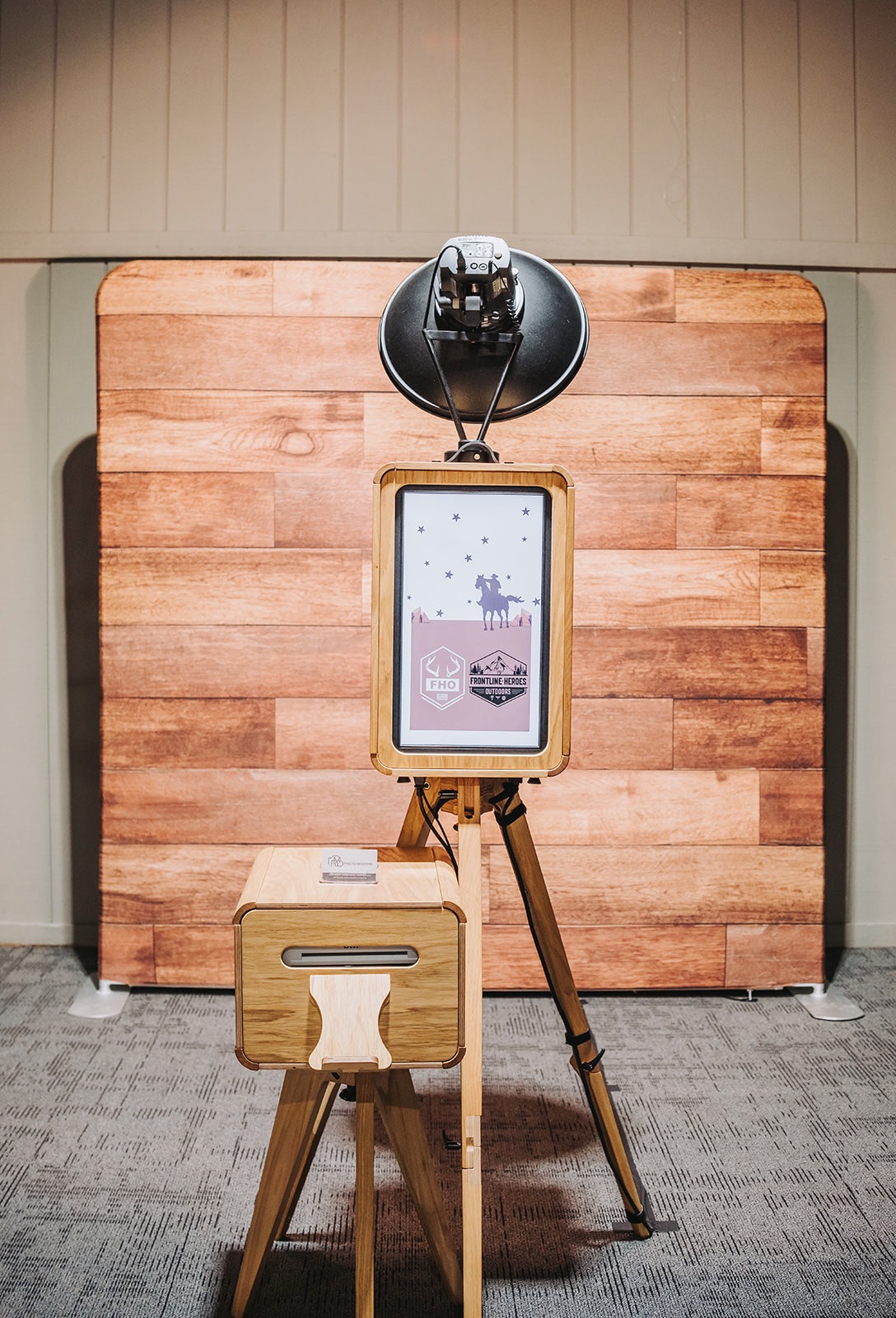
To see how much floor space a booth needs next to your screen, read about our open-air booth footprint and the corporate event entertainment checklist. If you are weighing different booth styles for the same room, our 360 vs. traditional booth guide compares space and cost.
FAQ
Does a projector look better on a screen or a wall?
A dedicated screen almost always looks better, because it is made to reflect light evenly and keep contrast high. A painted wall works for casual use in a dark room, but texture, color and uneven reflections show through. In a room with any ambient light, the difference grows.
Is an LED wall brighter than a projector?
In practice, yes, in the sense that matters at events: the picture stays visible when the room is lit. LED walls generate their own light, while a projector’s image has to compete with every other light falling on the screen. In a fully dark room, a good projector setup can look excellent too.
What is the difference between a video wall and an LED wall?
A video wall is any large display built from several screens. An LED wall is one type, built from LED tiles with no visible borders between them. Many event planners use the two terms to mean the same thing.
Which is easier to set up at a venue?
Projection is usually easier. A large projection screen can go up in about an hour, while a large LED wall can take around half a day and needs trained crew, more cases and more power. Check your load-in window and the venue’s rigging rules before you decide.
Should I change my photo booth plans if I use an LED wall?
Not really. Keep the booth in its own zone with its own studio lighting, and make sure the booth lights do not point at a projection screen. Tell us your venue layout when you book and we will help you pick a good spot.
Sources
- Image System Contrast Ratio, AVIXA
- Differences in Brightness Between LED Wall and Projector, LEDTEK
- Understanding ALR Projection, Visual Displays Ltd
- Projection Rules, AV-info.eu
- Projection Screens vs. LED Walls, The Screen Works
- 5 Ways LED Is Reshaping the Architecture of Live Events, Event Production Network
- Video Wall or Projection: What’s Right for You?, ProjectorCentral
Recommended
This article was created with the assistance of automated AI content tools using publicly available information and may contain errors, omissions, or outdated information. Content is provided for general informational purposes only and does not represent an endorsement, criticism, or official statement regarding any person, business, product, or service mentioned. Business details, pricing, services, availability, and other information may change over time. If you believe any information is inac