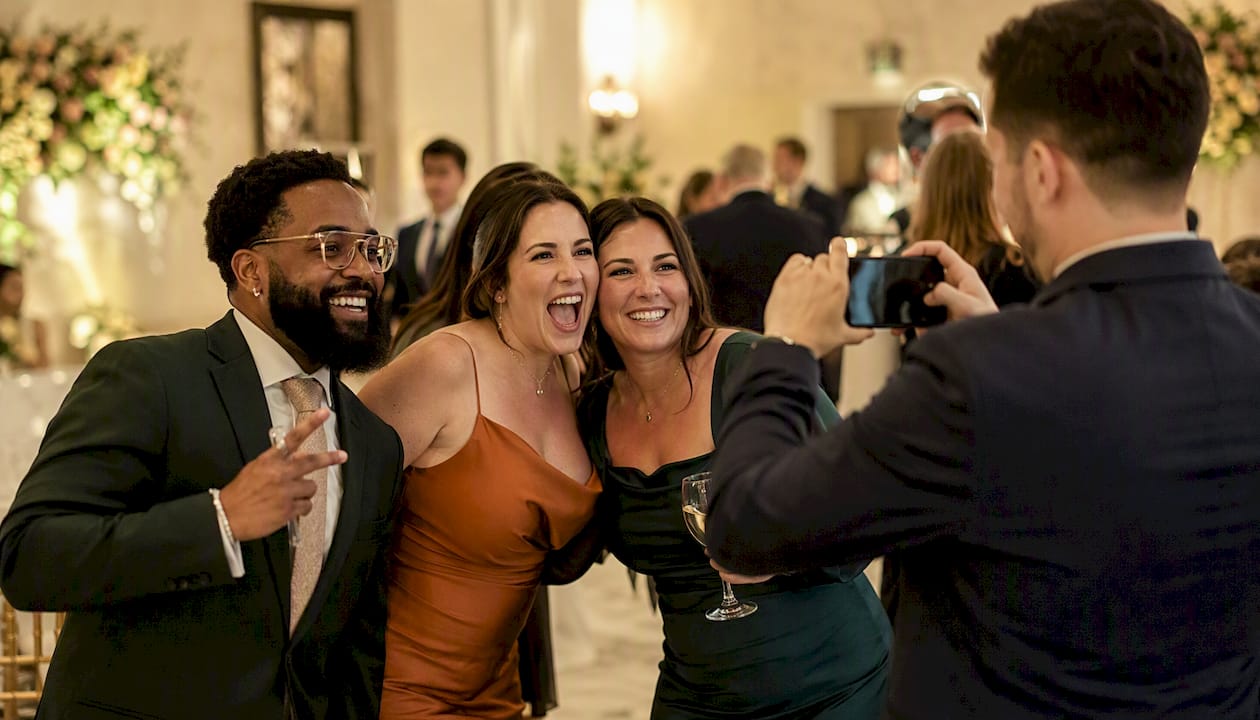
Interactive event solutions are technologies and activations designed to move attendees from passive observers to active participants, organized around four proven pillars: Attention, Participation, Immersion, and Insight. According to AVIXA’s framework for live events, these four pillars give planners a clear lens for evaluating whether any piece of technology earns its place on the floor.
Use interactive solutions when your event has a measurable goal: lead generation, brand awareness, education, or networking. Keep things simple when the audience is small, the session is intimate, or the technology would create more friction than joy.
Common formats to consider:
- Photo booths (traditional, 360°, glam, AI-powered)
- QR walls and social walls for real-time audience content
- Live polling and Q&A tools for session engagement
- RFID/NFC badges and wristbands for touchless check-ins and lead capture
Table of Contents
- How does the four-part framework shape your event design?
- How do you map interactive tech to each stage of the attendee journey?
- Which interactive tools work best for your specific goals?
- What does a solid implementation checklist look like?
- What do real event case studies teach us?
- How do post-event artifacts extend your event’s reach?
- How should you budget for interactive event solutions?
- What are the most common implementation challenges and how do you fix them?
- Key Takeaways
- Why low-friction, photo-driven activations consistently outperform
- Rmdphotobooths brings photo-driven engagement to your San Antonio event
How does the four-part framework shape your event design?
AVIXA’s Attention → Participation → Immersion → Insight model gives planners a repeatable filter. If a technology does not support at least one pillar, it is likely adding friction rather than value.
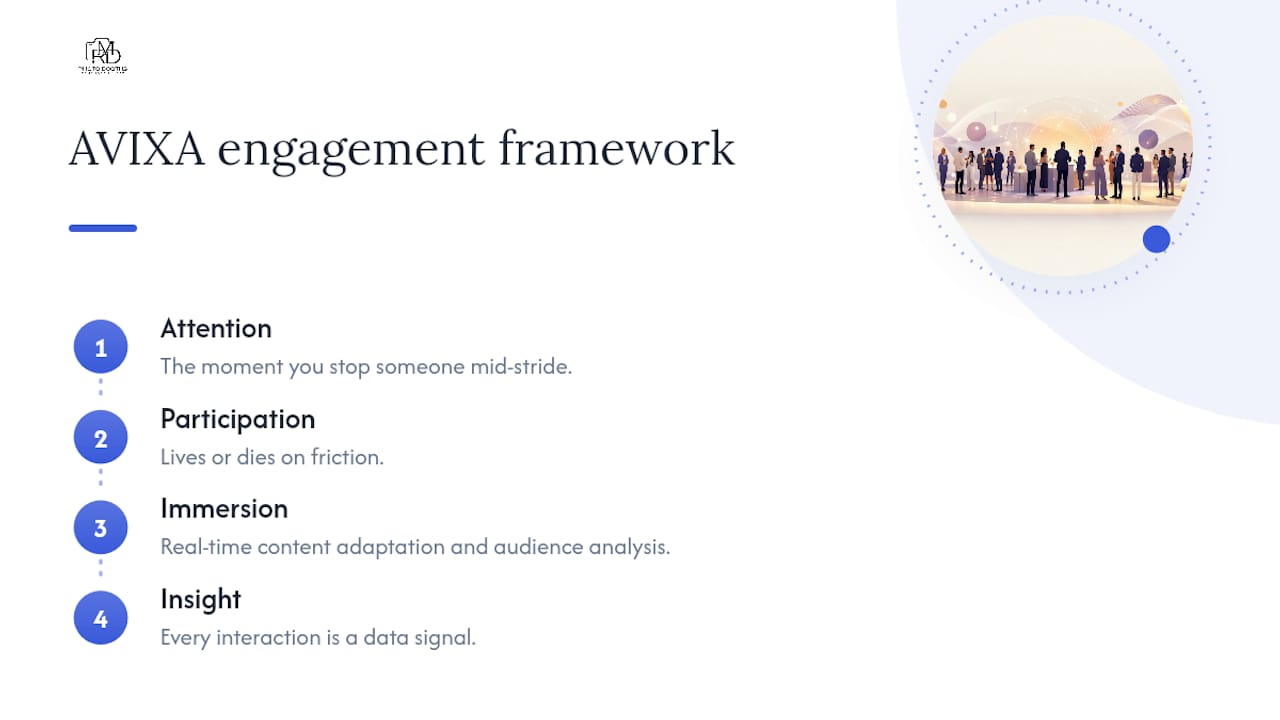
Attention is the moment you stop someone mid-stride. A single, clear call to action works better than a busy display. A glam booth with a branded backdrop and studio lighting draws a crowd faster than a generic screen because it promises a tangible reward: a beautiful photo.
Pro Tip: Measure Attention by tracking dwell time near the activation before any interaction begins. If people walk past without pausing, the visual hook needs work.
Participation lives or dies on friction. Every extra tap, login, or form field costs you attendees. QR wall tools like those described by QR Wall let guests contribute via a phone-camera scan with no app download required, which keeps the barrier as low as possible.
Immersion is where AI is shifting from experiment to operational tool. Real-time content adaptation, audience analysis, and AI-powered moderation now run live at events, personalizing what attendees see on screens based on crowd behavior. Cohesive storytelling across every touchpoint, from the registration email to the photo printout, deepens that feeling.
Insight closes the loop. Every interaction is a data signal: a poll response, a badge tap, a photo download. Capture those signals with an anonymous token or a profile ID, push them to your CRM, and you have a post-event attribution chain.
Pro Tip: Build your Insight plan before you choose your tools. If you cannot describe exactly how a data point will be used after the event, you do not need to collect it.
How do you map interactive tech to each stage of the attendee journey?
The attendee-journey-first approach maps desired behaviors at each stage so technology adds value rather than noise. Here is a practical template:
- Registration: pre-event survey or interest poll to personalize session recommendations
- Anticipation: teaser content, branded countdown, social challenge with event hashtag
- Arrival: RFID/NFC badge tap for touchless check-in and sponsor lead capture
- Sessions: live polling, Q&A walls, real-time word clouds
- Networking: AI-powered matchmaking via event app
- Sponsor interaction: gamified booth challenges, digital prize wheels
- Departure: photo booth moment, personalized printout or digital share
- Follow-up: automated email with photo artifact, poll results, and next-step CTA
Before committing to any tool, run it through this filter:
- Does it match what this audience will actually do?
- How many steps does it take to participate?
- Who owns it operationally on event day?
- What is the fallback if it fails?
- Which metric does it move?
- Does it fit the budget without cannibalizing higher-priority activations?
VenueSight’s strategy guide emphasizes centralizing data integration and personalization engines so every touchpoint feeds a single analytics view rather than creating isolated data silos.
Which interactive tools work best for your specific goals?
Here is a practical catalog of formats, each with a best-use case, one operational note, and the outcome it typically drives.
- Traditional photo booths: Best for weddings and corporate galas. Requires a suitable footprint and a dedicated power outlet. Drives branded social shares and a physical keepsake guests treasure. Explore interactive booth features to see how much variety fits within that footprint.
- Glam booths: — Best for upscale events and bridal parties. Studio lighting is built in, so venue lighting quality matters less. Delivers high-quality portrait-style images that feel premium.
- QR/interactive walls: — Best for Q&A, icebreakers, and in-room feedback. Zero app download needed. Drives real-time participation and exportable analytics.
- Spatial sensors and projection mapping: Best for experiential brand activations. LiDAR and depth cameras need calibration in the actual venue lighting. Creates “wow” moments that drive organic video content, as Chameleon Interactive’s architecture guide details.
Pro Tip: Connect your photo booth or QR wall to your event app so every photo download or wall post automatically populates the attendee’s profile. That single integration turns a fun moment into a qualified lead signal.
What does a solid implementation checklist look like?
Operational failures almost always trace back to skipped rehearsal steps. Work through this list before event day:
- Test power draw at the venue’s actual outlets, not a spec sheet estimate.
- Run the network under simulated peak load, because 300 simultaneous photo uploads will stress most venue Wi-Fi setups.
- Test sensors and cameras in the venue’s production lighting, not in a warehouse.
- Rehearse the full attendee flow end-to-end with staff playing guests.
- Time every transition: booth queue, photo delivery, printout pickup.
- Confirm manual override and kill-switch procedures with every operator.
- Set up content moderation before the event opens, using AI moderation for any guest-generated display.
- Assign a contingency staff member with no primary role, available to troubleshoot.
Common failure modes and their fixes:
- Sunlight washout: test outdoor or window-adjacent setups at the same time of day as the event.
- Wi-Fi overload: request a dedicated SSID from the venue or bring a cellular backup router.
- Untrained staff: run a 30-minute hands-on walkthrough the morning of the event, not the night before.
Pro Tip: Test the entire activation in-situ at the venue with production lighting and a small group of real people walking through it. Paper rehearsals miss the surprises that only show up under actual conditions.
What do real event case studies teach us?
Case snapshot 1 — InfoComm/AVIXA experiential build: An immersive installation at an InfoComm event used AI-driven real-time content adaptation to personalize what attendees saw on large-format displays based on crowd behavior. The activation generated measurable interaction counts across the show floor and produced influencer-driven social content that extended reach well beyond the venue. The lesson: AI operationalized at the display layer, not just in the back end, creates Immersion that attendees photograph and share.
Case snapshot 2 — AI-enabled interactive window installation: A retail-facing interactive window used spatial sensors and AI personalization to respond to passerby behavior, logging thousands of interactions over its run. The business used follow-up data from those interactions to qualify interest and feed a targeted outreach sequence. The lesson: even a single well-instrumented activation can generate a meaningful lead pipeline when the data layer is planned from the start.
Three lessons from both examples:
- Map one activation to one measurable outcome before you spec the hardware.
- AI moderation and real-time adaptation are production-ready, not experimental.
- Social content generated by attendees extends event ROI long after the doors close, especially when paired with event video coverage that captures the activation in action.
How do post-event artifacts extend your event’s reach?
The event ends, but the content does not have to. A branded photo printout, a 360° video clip, or an AI-powered photo animation gives every attendee a shareable artifact tied to your brand. When those assets carry your logo, event hashtag, or sponsor overlay, each organic post becomes earned media.
Distribute digital copies immediately via SMS or email so guests share while the excitement is fresh. Social media integration built into the booth or wall makes that instant delivery automatic. Follow up within 48 hours with a recap email that includes the attendee’s personal photo, poll results, and a next-step offer. That sequence keeps your event top of mind and gives your CRM a warm re-engagement touchpoint.
How should you budget for interactive event solutions?
Budget planning starts with the activation’s role in the event, not its price tag. A photo booth that drives 200 social shares and captures 80 qualified leads has a very different ROI calculation than a decorative display that no one interacts with.
Typical cost drivers include hardware rental or purchase, software licensing, staffing, connectivity infrastructure, and content production (overlays, branded templates, custom props). For photo booth rentals specifically, pricing varies by booth type, event duration, and selected enhancements. Requesting an itemized quote that separates hardware from staffing from content helps you see where to trim without sacrificing the attendee experience.
A practical budgeting rule: allocate a larger share to activations that sit at high-traffic moments in the attendee journey (arrival, departure, main networking break) and a smaller share to supplementary touchpoints. One well-executed activation beats three underfunded ones every time.
What are the most common implementation challenges and how do you fix them?
Connectivity failures are the most frequent on-site problem. The fix is a dedicated network segment or a cellular backup, tested under load before doors open.
Untrained staff create bottlenecks that kill dwell time. A 30-minute hands-on walkthrough the morning of the event, covering every failure scenario, is non-negotiable.
Content moderation gaps on social walls can expose your brand to inappropriate posts during peak traffic. AI moderation tools handle volume that manual review cannot.
Scope creep during planning leads to activations that compete for the same attendee attention. Each activation should own a distinct moment in the journey; overlapping activations split engagement and dilute data.
Low participation rates usually signal a friction problem, not an interest problem. Simplify the entry point: one scan, one tap, one photo. Creative photo booth tips show how small changes to props, prompts, and positioning can double participation without changing the technology.
Key Takeaways
Interactive event solutions work best when every activation maps to a specific stage of the attendee journey and a measurable business outcome, with testing and rehearsal completed before event day.
| Point | Details |
|---|---|
| Use the four-part framework | Evaluate every activation against Attention, Participation, Immersion, and Insight before committing budget. |
| Map tech to the journey | Assign each activation to a specific journey stage (arrival, session, departure) and one metric it moves. |
| Test in-situ, not on paper | Run a full end-to-end rehearsal at the venue with production lighting and real staff before event day. |
| Artifacts extend ROI | Branded photos, 360° clips, and personalized content drive organic social sharing and warm CRM re-engagement after the event. |
| Rmdphotobooths for San Antonio events | Rmdphotobooths offers traditional, 360°, glam, and AI-powered booths with over 1,000 five-star reviews and easy online booking for events in San Antonio. |
Why low-friction, photo-driven activations consistently outperform
Here is something we have seen play out across hundreds of events: the activations that generate the most organic reach are rarely the most technically complex. They are the ones with the shortest path from “I want to try that” to “I have something I want to share.”
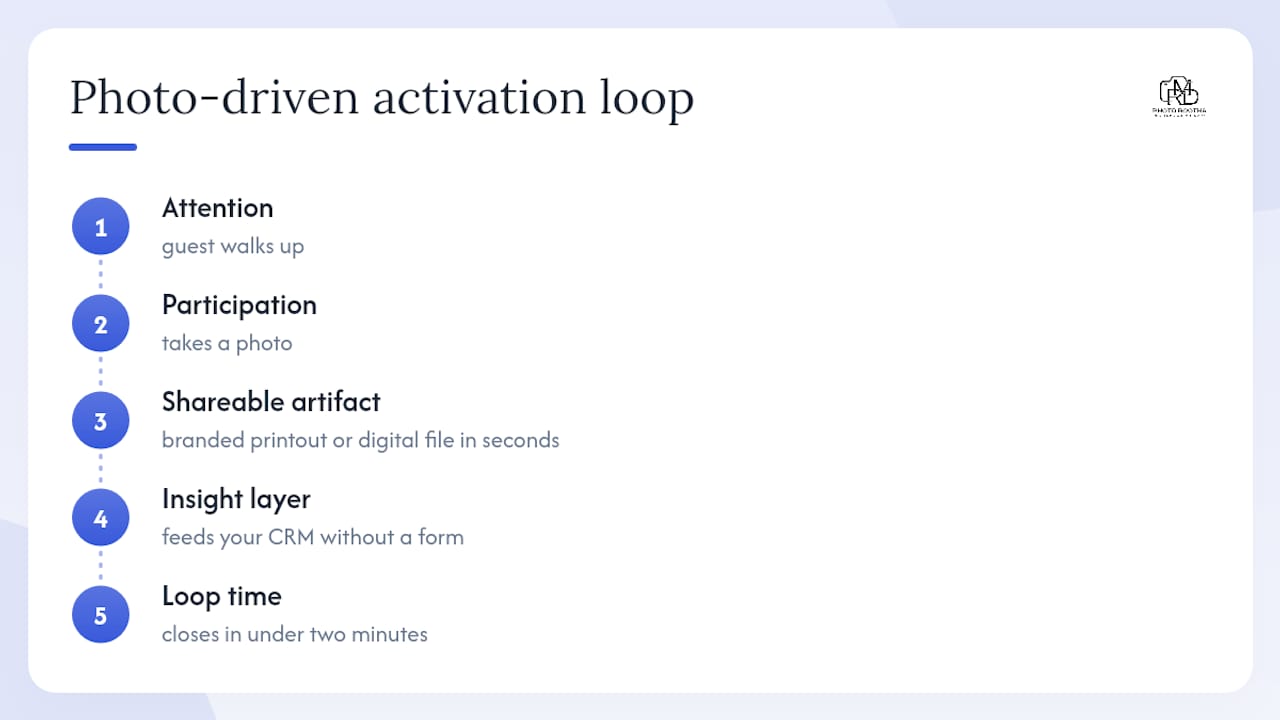
Photo-driven activations sit at that intersection almost perfectly. A guest walks up, takes a photo, gets a beautiful branded printout or digital file in seconds, and shares it before they reach the next booth. That loop, Attention to Participation to a shareable artifact, closes in under two minutes. The Insight layer, the data captured from that interaction, feeds your CRM without the guest ever filling out a form.
We lean into this model at Rmdphotobooths because we have seen it validated across corporate galas, weddings, and large-scale conferences alike. Our clients back that up: over 1,000 five-star reviews reflect events where guests genuinely had a memorable time and planners hit their engagement goals. The AVIXA framework confirms what we experience on the floor: if an activation does not support at least one of the four pillars, it is adding friction, not value. Photo booths, done well, support all four.
The planners who get the most from interactive technology are the ones who resist the urge to add more activations and instead invest in making one or two exceptional. A Micepad analysis of proven engagement strategies puts themed photo booths and live social walls among the highest-engagement tactics precisely because they are tangible, immediate, and social by design.
Rmdphotobooths brings photo-driven engagement to your San Antonio event
When you want an interactive activation that guests actually use, share, and remember, a photo booth is one of the highest-return choices you can make. Rmdphotobooths brings that to life for events across San Antonio with a lineup built for every occasion and every goal.
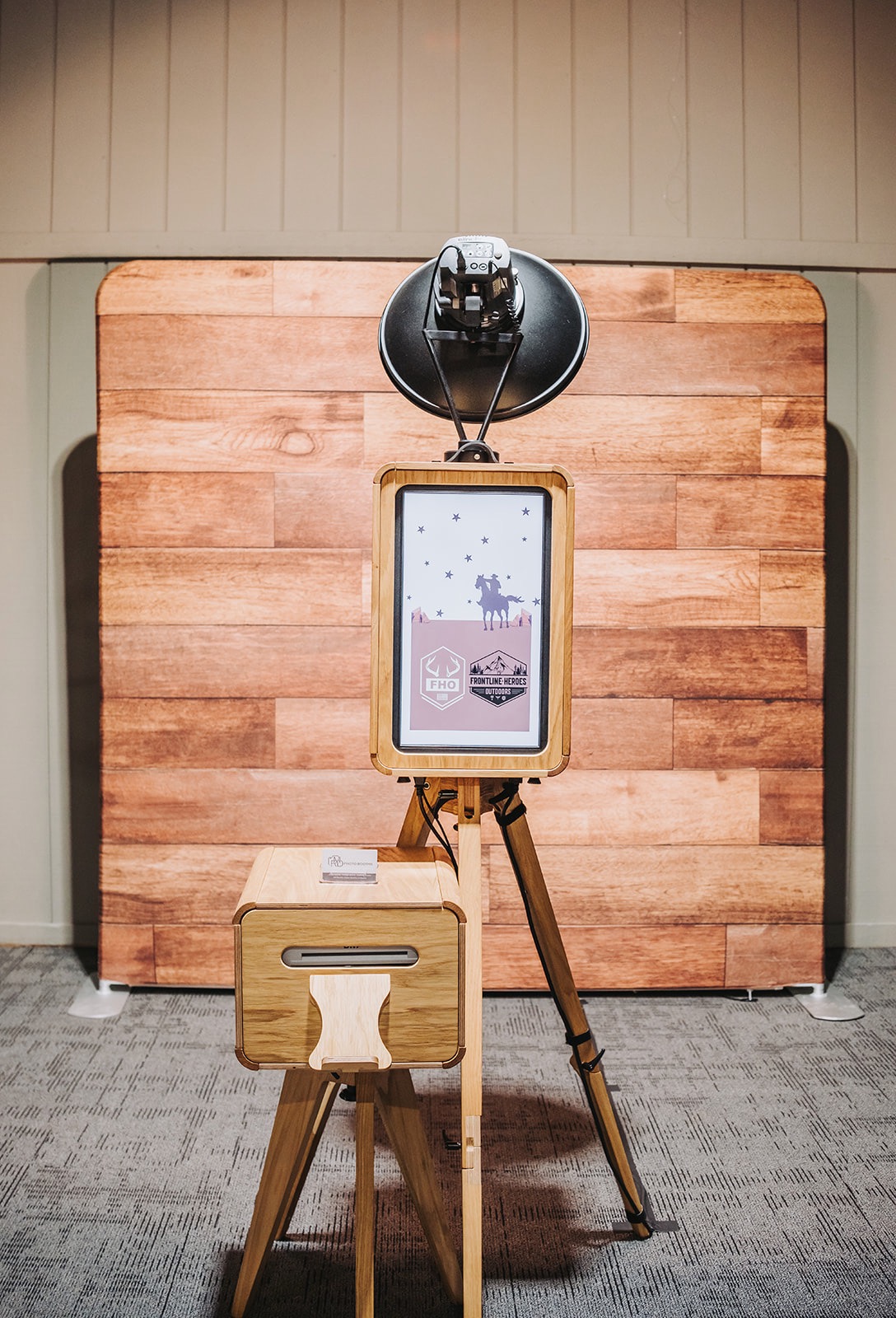
Our experiences include traditional photo booths, 360° video booths, glam booths with studio lighting, AI-powered portrait modules, roaming and robot booths, and full on-site branding with custom overlays. Every package includes professional staffing, venue prep support, and instant digital delivery so your guests are sharing before the night is over.
Pricing varies by booth type, event duration, and enhancements, and you can check availability and get a quote in minutes through our easy online booking system. With over 1,000 five-star reviews across weddings, corporate events, and private parties, we know how to make your activation work from the first guest to the last. Book your booth now and let us help you create those “wow” moments your guests will treasure forever.