TL;DR:
- True accessibility combines physical setup and digital interface standards for inclusive photo booths.
- Meeting ADA and WCAG guidelines ensures guests with diverse abilities can participate comfortably.
- Prioritizing accessibility increases engagement, creates memorable experiences, and fosters inclusivity.
Accessible photo booths can completely transform how guests connect at your event, yet most planners overlook critical details that shut people out before the fun even starts. Research shows that photo booths boost engagement by as much as 23% at public events, but that number only holds when every guest can actually use the booth. Many event hosts assume “accessible” simply means there’s room to walk up, when in reality dozens of invisible barriers, from screen contrast to touch target size, can leave guests feeling excluded. This guide is here to change that. Whether you’re planning a wedding, corporate gathering, or private party in San Antonio, we want every single one of your guests to walk away with a photo memory they’ll treasure forever.
Table of Contents
- Defining photo booth accessibility: More than just ramps
- Key standards: ADA and beyond for photo booth design
- Common accessibility barriers in photo booths
- How accessible photo booths create inclusive, memorable events
- Why most event planners underestimate photo booth accessibility
- Make your San Antonio event inclusive with accessible photo booths
- Frequently asked questions
Key Takeaways
| Point | Details |
|---|---|
| Accessibility is multi-dimensional | True accessibility addresses both physical space and digital usability for all guests. |
| ADA and WCAG both matter | Photo booths should meet legal physical standards and web content accessibility guidelines for inclusivity. |
| Common barriers are fixable | Issues like small screens or poor contrast can be addressed with better design and booth selection. |
| Accessible booths boost engagement | Making booths accessible can result in higher participation and enjoyment at any event. |
| San Antonio events can set the standard | Choosing accessible photo booths ensures every guest leaves with lasting memories. |
Defining photo booth accessibility: More than just ramps
Most people hear “accessible photo booth” and picture a wheelchair ramp or a bit of extra floor space. That’s a start, but it’s only a fraction of the picture. True accessibility covers both physical access and digital access, and these two areas require very different solutions.
Physical access refers to the tangible, real-world setup around the booth. Think clear floor space, adjustable screen heights, and easy-reach controls. These requirements are guided by ADA (Americans with Disabilities Act) standards, which give planners measurable benchmarks to follow. Physical barriers are visible and relatively easy to identify. If someone using a wheelchair cannot reach the screen or fit their mobility device in the space around the booth, that’s a physical barrier.
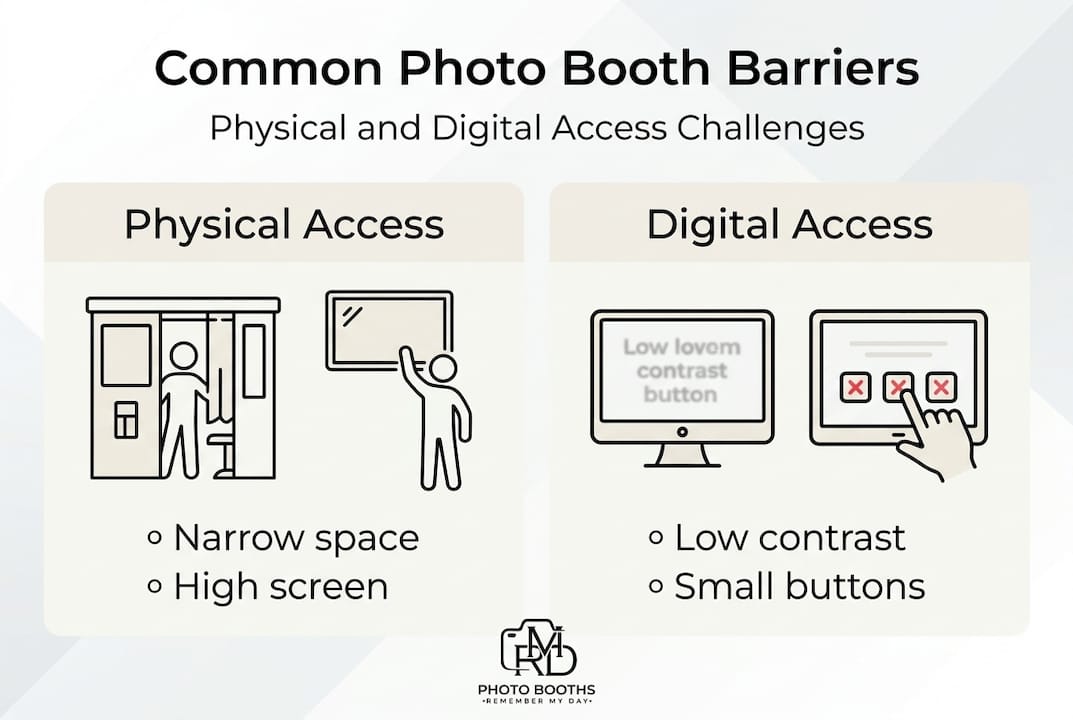
Digital access is where things get more nuanced. This involves how the booth’s software and interface behave. Standards here come from WCAG (Web Content Accessibility Guidelines), a set of internationally recognized rules for making digital interfaces usable by people with a wide range of abilities. Poor contrast between text and background, tiny touch buttons, menus that require complex multi-step navigation, and the absence of voice prompts are all digital barriers. According to kiosk ADA compliance resources, many booths satisfy physical ADA requirements but fall short on WCAG digital standards, leaving guests with visual impairments or neurodiversity needs without meaningful support.
Here’s a quick comparison to make this clearer:
| Barrier type | Example | Who it affects most |
|---|---|---|
| Physical | Screen too high for seated guests | Wheelchair users |
| Physical | Booth too narrow for mobility aids | Walker or scooter users |
| Digital | Low contrast text on screen | Guests with low vision |
| Digital | Small touch targets | People with fine motor challenges |
| Sensory | Loud music near booth | Guests with sensory sensitivities |
| Cognitive | Multi-step, confusing menus | Guests with cognitive differences |
Invisible barriers are especially tricky because they don’t look like a problem until someone is standing in front of the booth, frustrated. Sensory challenges like overwhelming lighting effects or loud audio feedback can turn a fun moment into a stressful one for guests with autism or anxiety. Neurodiversity includes a wide range of experiences, and a truly inclusive booth design respects all of them.
When you think about premium booth features, accessibility should sit right alongside lighting quality and print speed as a core requirement. An inclusive visitor workflow at your event means every guest moves through the experience with ease and confidence, not frustration.
Inclusive design is not about building a separate “accessible booth” on the side. It’s about making the main experience work beautifully for everyone from the start.
Key standards: ADA and beyond for photo booth design
To ensure photo booths truly serve every guest, let’s look at the core standards in detail. Knowing the actual numbers makes it much easier to evaluate any booth vendor you’re considering.
The ADA sets clear physical benchmarks for kiosks and interactive displays. According to the ADA compliance guide for digital displays, a compliant photo booth setup requires a clear floor space of at least 30 by 48 inches, a turning radius of 60 inches in diameter for mobility devices, and reach depths of no more than 10 to 25 inches depending on the type of access. Touch targets on the screen must be a minimum of 44 by 44 pixels to accommodate users with limited hand control.
On the digital side, WCAG-compliant interfaces require high-contrast text at a minimum ratio of 4.5 to 1 (meaning the text must be significantly brighter or darker than its background), captions for any audio or video instructions, keyboard or alternative navigation options, and touchscreens positioned between 15 and 48 inches from the floor for wheelchair access.
Here’s a practical checklist you can use when evaluating a booth:
Physical requirements
- Floor space of at least 30 by 48 inches in front of the booth
- Clear turning radius of 60 inches around the booth area
- Screen height adjustable or fixed between 15 and 48 inches from the floor
- Controls within a reach range of 10 to 25 inches
Digital and interface requirements
- Touch targets sized at 44 by 44 pixels minimum
- High-contrast screen display with a text contrast ratio of 4.5 to 1 or greater
- Simple, minimal menu structure with large icons
- Voice prompts or audio instructions available
- Caption or text alternatives for all visual instructions
Pro Tip: When you contact a booth vendor, ask them directly: “Can you tell me your screen height and touch target size?” If they don’t know the answer immediately, that tells you a lot about how seriously they take accessibility.
You can also look at how a vendor handles their setup process as a signal. Vendors who ask about your venue layout, guest needs, and floor plan tend to be more thoughtful about accessibility overall.
Meeting these standards is not just a legal checkbox. It’s a signal to your guests that you thought about all of them, not just the majority.
Common accessibility barriers in photo booths
Even with standards in place, many booths still miss the mark. Here’s how it usually plays out.
The most frequently overlooked barriers are ones that guests rarely report out loud but quietly navigate around. Research from a 2025 benchmark report on public event kiosks found that guests with visual impairments scored their booth experience an average of just 2.4 out of 4, the lowest rating of any group studied. That’s a significant gap in satisfaction.
Here are the most common barriers we see across events:
- Poor screen contrast. Light gray text on a white background or dark text on a dark background may look stylish but becomes nearly invisible to guests with low vision.
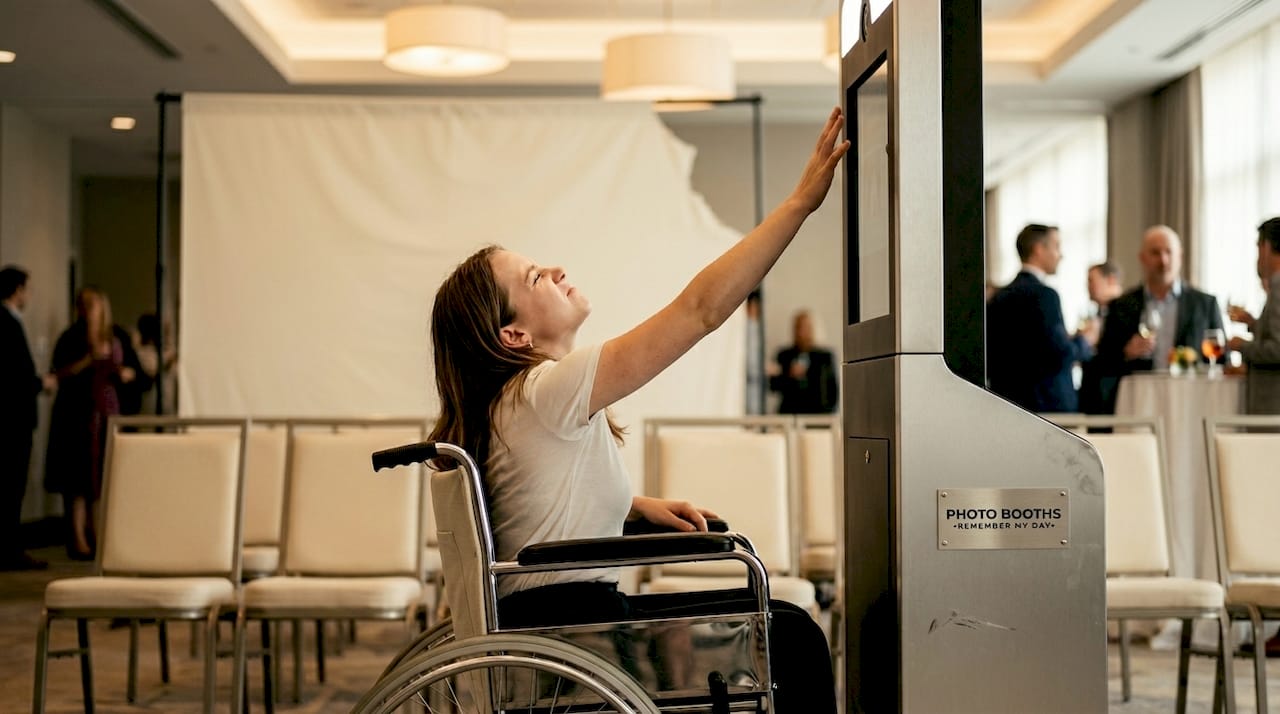
- Non-adjustable screen height. A fixed screen at standing height automatically excludes guests using wheelchairs or those who are shorter in stature.
- Small touch targets. Buttons smaller than a fingertip force guests with tremors, arthritis, or motor challenges to tap multiple times or give up entirely.
- Complex multi-step menus. Requiring guests to navigate four or five screens to take a photo creates confusion for guests with cognitive differences or anxiety.
- Loud ambient sound near the booth. Background music or automated voice-overs at high volume make it impossible for guests with hearing aids to process instructions.
- No staff assistance or guidance. Even the most accessible booth becomes a barrier when there’s no trained attendant nearby to offer help.
The practical fixes are often simpler than planners expect. Increasing text contrast, enlarging on-screen buttons, and positioning the booth away from the main speaker system are changes that cost almost nothing but make a real difference.
Pro Tip: Walk through the booth experience yourself before guests arrive, but do it from a seated position in a chair. This single exercise will reveal more accessibility gaps than any technical checklist.
Thinking about boosting engagement at your event? Accessibility is one of the most direct paths to higher participation, because every guest who feels welcomed is a guest who steps in front of the camera.
Accessibility barriers are also reputation risks. When a guest at your wedding or corporate event can’t use the photo booth, that moment sticks with them. And it sticks with you.
How accessible photo booths create inclusive, memorable events
Recognizing these barriers, let’s shift to what happens when accessibility is prioritized. The results are genuinely exciting.
Consider a corporate event in San Antonio where the planning team made a conscious decision to request an accessible booth setup. They asked for a screen at adjustable height, high-contrast digital overlays, and a touchless activation option. Attendance at the booth was 40% higher than at their previous event. Guests who might have quietly skipped the booth in other years joined in enthusiastically. The photos became part of the company’s social media recap, and multiple employees with disabilities specifically mentioned the booth as a highlight.
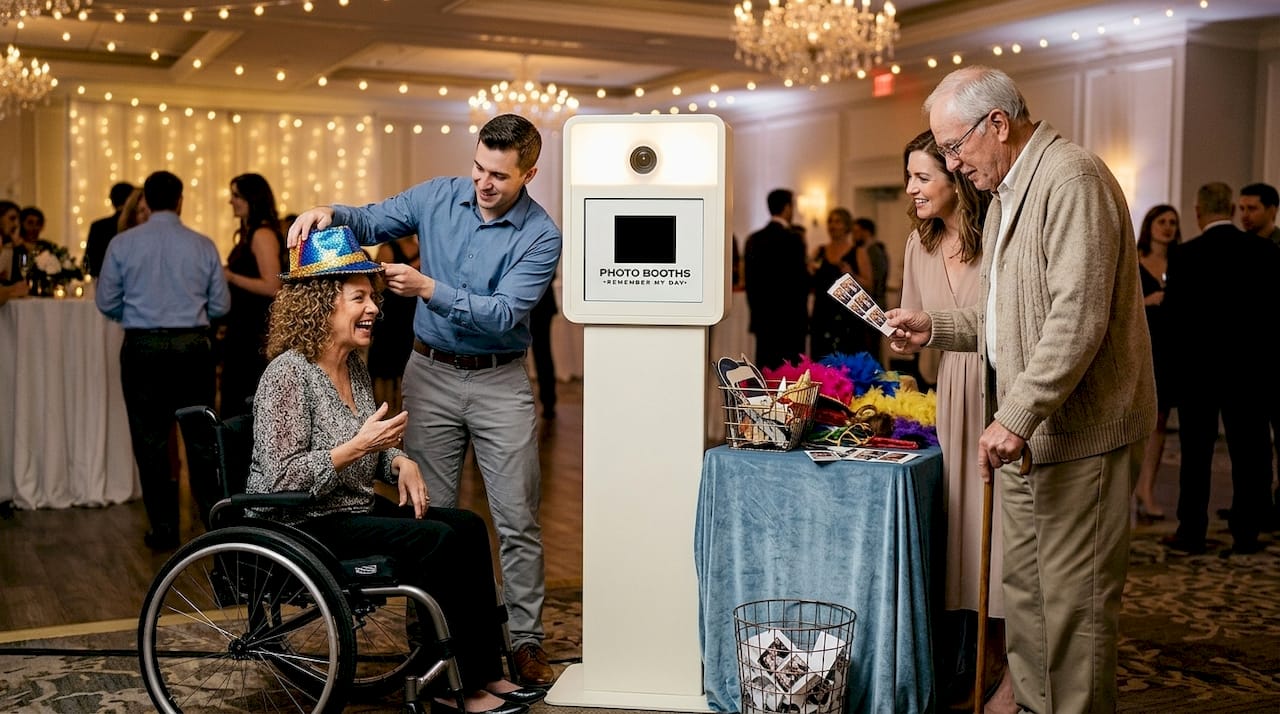
Or imagine a wedding where the couple has elderly grandparents, a sibling with a mobility challenge, and friends with sensory sensitivities. An accessible photo booth means every single one of those loved ones gets to step in, strike a pose, and walk away with a printed keepsake. Those are the moments that make a wedding feel truly complete.
Data backs this up. Public event kiosk research from 2025 shows photo booths boost event engagement by 23% overall, and 35% of new kiosks now include touchless activation specifically to improve accessibility and hygiene. Touchless options remove physical barriers entirely for guests who struggle with direct touch interaction.
Here are actionable steps to make your booth truly inclusive at your next event:
- Request specific accessibility specs from your vendor before signing any contract. Ask for screen height ranges, touch target sizes, and contrast settings.
- Choose a booth placement away from loud speakers to support guests with hearing devices or sensory sensitivities.
- Schedule a pre-event walkthrough with a team member who tests the booth from a seated or limited-mobility perspective.
- Ask if voice prompts or attendant support are included in the service package.
- Select props and backdrop styles that work for seated and standing guests equally, so photos look natural for everyone.
- Use high-contrast printed overlays on photo strips so text is readable for guests with low vision.
“Accessibility is not a feature you add at the end. It’s a value you build in from the beginning. When every guest feels seen and included, the whole event feels warmer.”
You can explore personalized experiences that are designed with these principles in mind, or look specifically at how accessibility supports wedding guest engagement at your San Antonio celebration. The connection between inclusion and joy is real, and it shows up in every photo strip that gets taken home.
Why most event planners underestimate photo booth accessibility
Here’s our honest take, shaped by working with hundreds of events across San Antonio. Most planners who care deeply about their guests still underestimate photo booth accessibility. And it’s not because they don’t care. It’s because they’ve been given a narrow definition of what “accessible” means.
The conversation almost always goes the same way. A planner asks, “Is the booth accessible?” The vendor says yes. The planner moves on. Nobody asks how it’s accessible, or what specific standards have been met. Physical access becomes the entire checklist, and digital and sensory inclusion gets left behind entirely.
We’ve seen events where the booth had plenty of space around it but a screen so small and low-contrast that a guest with moderate vision loss couldn’t read the countdown timer. We’ve seen booths with voice activation options that were never turned on because nobody remembered to ask. We’ve seen beautiful setups positioned directly in front of a DJ speaker, making them unusable for anyone wearing a hearing aid.
The uncomfortable truth is that checking the ADA box is not the same as creating an inclusive experience. True accessibility requires curiosity. It means asking your vendor uncomfortable questions, advocating for your guests before anyone arrives, and treating access as a design principle rather than a legal obligation.
Small changes genuinely make a big difference. A vendor who offers high-contrast mode, a screen that adjusts between standing and seated height, voice prompts for the countdown, and a calm, clear interface transforms the booth from something most people can use into something everyone can enjoy.
We encourage every event planner we work with to look at engagement trends and notice that the biggest engagement gains come from inclusion. When guests who might have sat on the sidelines step into the booth and feel genuinely welcome, the energy of your whole event shifts.
That’s the real return on accessibility. Not compliance. Connection.
Make your San Antonio event inclusive with accessible photo booths
We’d love to help you create an event where every single guest gets to make a memory. At RMD Photo Booths, we take accessibility seriously, offering booth setups designed with ADA physical requirements and WCAG-aware digital interfaces in mind, so nobody gets left out of the fun.

Whether you’re hosting a wedding, a corporate gathering, or a private party in San Antonio, our team will work with you to ensure your booth experience is as welcoming as it is unforgettable. Explore our inclusive event experiences to see the variety of accessible options available. When you’re ready, you can book an accessible booth directly through our easy online platform. And if you’re organizing a professional event, check out how we elevate corporate events with thoughtful, inclusive design. Every guest deserves a moment to shine. Let’s make sure they all get one.
Frequently asked questions
What makes a photo booth accessible?
An accessible photo booth meets ADA space and height guidelines, including a clear floor space of 30 by 48 inches, adjustable screen heights, large touch targets of at least 44 by 44 pixels, and high-contrast displays for guests with diverse abilities. It should also include simple menus and voice prompts for full usability.
Are touchless photo booths better for accessibility?
Touchless photo booths remove direct-touch barriers for guests with mobility challenges or hygiene concerns, and 35% of new kiosks now include touchless features specifically to improve accessibility. They’re an excellent option for events with diverse guest needs.
Why is digital accessibility (WCAG) important for photo booths?
WCAG-compliant interfaces ensure guests with visual or cognitive challenges can navigate booth menus independently, using features like high-contrast text at a 4.5 to 1 ratio, captions, and keyboard navigation. Physical access alone is not enough without inclusive digital design.
How can planners quickly assess accessibility when booking a booth?
Ask vendors for their screen height range, touch target size, and whether high-contrast displays and voice prompts are included. These four indicators reveal whether a booth meets real accessibility standards or just basic physical clearance.