TL;DR:
- Customizing a photo booth with cohesive design, quality props, and advanced AI features creates memorable event experiences. Proper equipment setup, strategic placement, and engaging guest flow management ensure high participation and shareability. Overall, intentional design and technology integration foster lasting impressions and brand recall.
Every event planner knows the feeling: you have a stunning venue, a great caterer, and a solid DJ, yet something still feels generic. The photo booth is often the culprit. This guide to customizing photo booth experience walks you through everything from gear selection and prop curation to AI-powered features and guest flow management, so your booth becomes the talk of the event. Whether you are planning a wedding, a corporate launch, or a private birthday bash, these photo booth customization options will help you create something guests genuinely treasure.
Table of Contents
- Key takeaways
- Setting up your photo booth: what you need first
- How to personalize photo booth elements step by step
- Advanced technology features for 2026
- Managing guest flow and keeping energy high
- Our perspective on what truly makes photo booths memorable
- See what Rmdphotobooths can create for your event
- FAQ
Key takeaways
| Point | Details |
|---|---|
| Start with the right equipment | Camera, lighting, and backdrop choices form the non-negotiable foundation of any great photo booth setup. |
| Match everything to your event theme | Backdrops, props, and overlays should feel like one unified visual story, not separate decorations. |
| Leverage AI for faster customization | Real-time background replacement and automated lighting reduce setup time and improve photo quality. |
| Placement drives participation | Booths near high-traffic zones consistently attract more guests and increase overall engagement. |
| Curate props, do not pile them | Fifteen to twenty quality themed props outperform a table full of random, low-quality items every time. |
Setting up your photo booth: what you need first
Before you think about themes or filters, you need the right foundation in place. Skipping this step is why so many photo booths look great in planning and disappointing in photos. Photo booth setup starts with three core decisions: your camera, your lighting, and your backdrop system.
Cameras, lighting, and backdrops
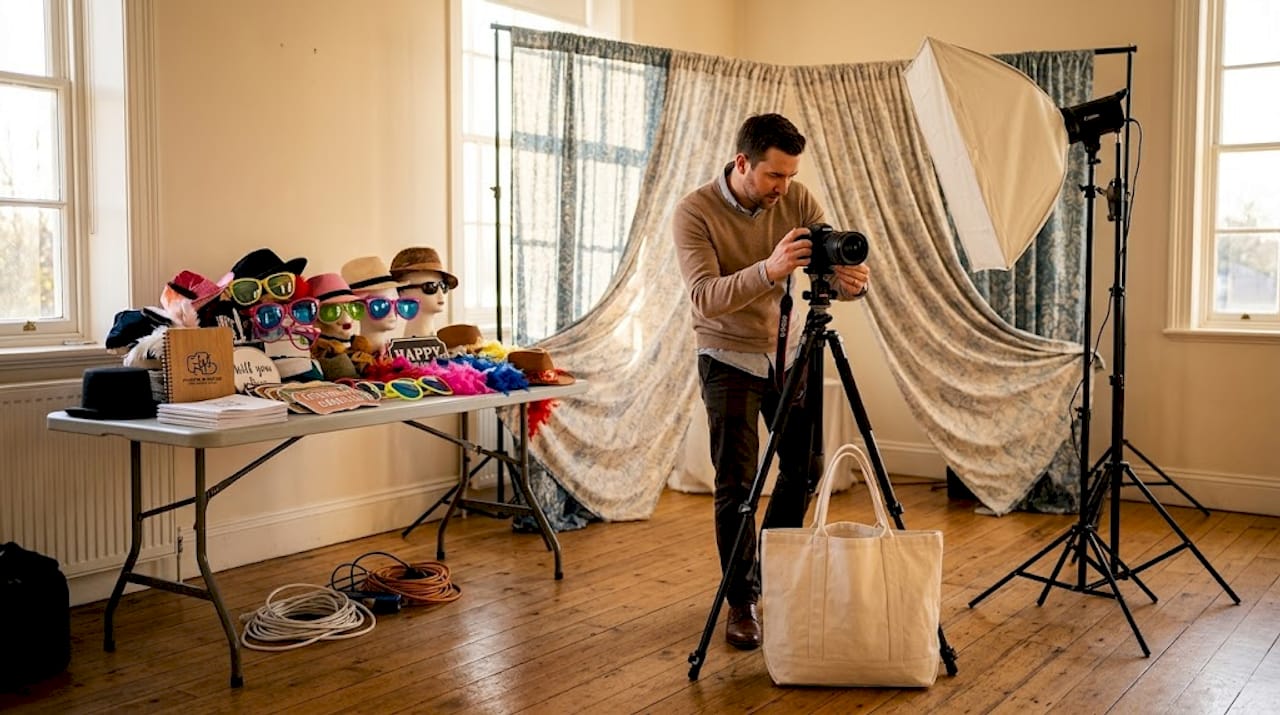
For camera selection, a DSLR or mirrorless camera paired with a 35mm or 50mm prime lens gives you the sharpest, most flattering results. Mirrorless cameras in particular handle low light well, which matters a great deal in dimly lit ballrooms or outdoor evening events. For lighting, a two-point lighting setup at 45-degree angles on each side of the subject eliminates harsh shadows and creates a flattering, even glow. This single choice can transform mediocre shots into photos guests actually want to share.
Backdrops deserve more attention than they typically get. Fabric backdrops with grommets are portable and wrinkle-resistant, making them reliable for tight setups. Shimmer walls and floral walls are popular for weddings and upscale private parties. For corporate events, a clean printed vinyl backdrop featuring company colors and logos sends a strong brand message in every single photo.
Equipment and setup essentials
| Item | Purpose |
|---|---|
| DSLR or mirrorless camera | Sharp, high-resolution photos even in low light |
| Two-point softbox lighting | Eliminates shadows and flatters every guest |
| Backdrop stand with tension clips | Keeps backdrops smooth and wrinkle-free |
| Touchscreen or tablet kiosk | Enables digital overlays and instant sharing |
| Dedicated power strip with surge protector | Prevents equipment shutdowns mid-event |
| Wi-Fi router or hotspot | Supports social sharing and cloud print delivery |
Software is the other piece planners overlook. Platforms like Darkroom Booth and Simple Booth allow you to build custom overlays, set up branded welcome screens, and connect to social sharing galleries. Make sure your software is loaded, tested, and updated before the event day.
Pro Tip: Run a full dry-run at least 48 hours before the event. Print a test strip, confirm your overlay alignment, and test the sharing workflow from start to finish. Problems discovered then are easy fixes. Problems discovered at the event are catastrophes.
How to personalize photo booth elements step by step
Now that your equipment is ready, it is time to bring your event’s personality to life. Learning how to personalize photo booth visuals and interactive components is where real creativity pays off. This process works for any event type, though the specific choices will differ.
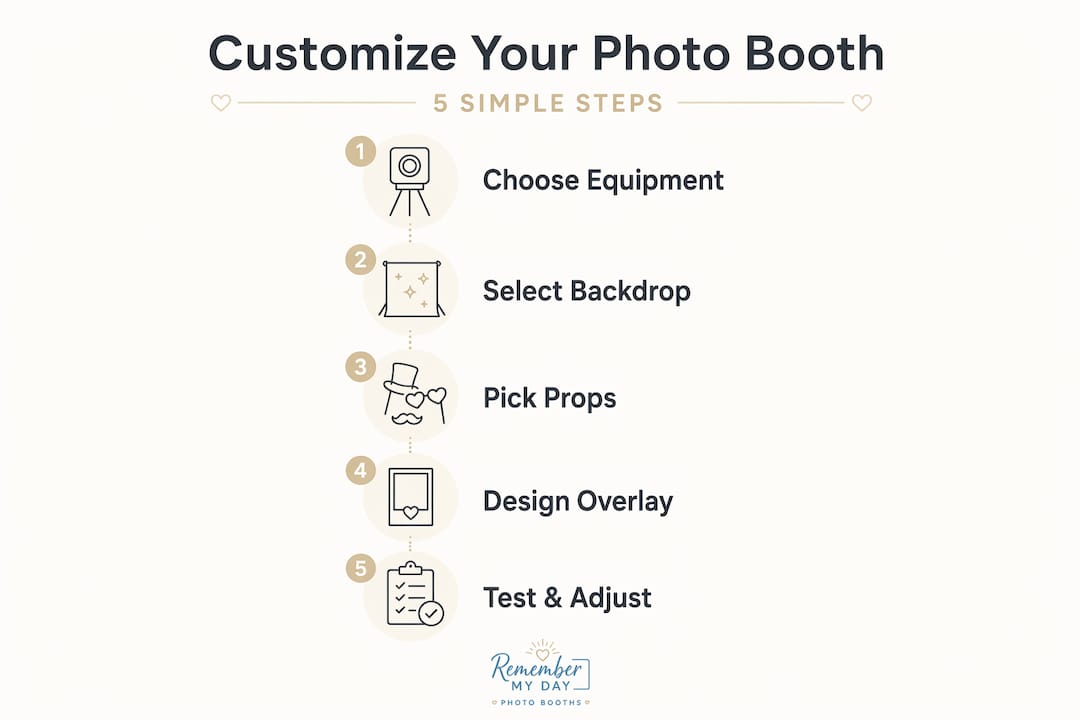
Define your visual palette first. Pull the event’s dominant colors, fonts, and motifs before designing anything. For a wedding, this might mean ivory, dusty rose, and gold leaf. For a tech company’s product launch, it could mean midnight blue and electric green with a clean sans-serif font. Everything from your backdrop to your overlay should reflect this palette so that visual consistency creates cohesive branding tied to the overall event.
Choose a backdrop that anchors your theme. A custom event backdrop does more than provide a background. It sets the entire mood of each photo. For weddings, romantic options include draped florals, greenery walls, or gold sequin panels. For corporate events, a branded step-and-repeat or a bold single-color backdrop with a logo keeps photos professional. For fun private parties, neon signs or custom painted murals spark immediate excitement.
Curate 15 to 20 themed props. Quality themed props outperform quantity every time. For a wedding, think personalized “Bride’s Crew” signs, oversized rings, and elegant feather boas. For corporate events, props that tie to the company’s industry or brand tagline are far more memorable than generic glasses and hats. Fewer, better props also speed up guest throughput because nobody spends three minutes sorting through a cluttered bin.
Design custom photo overlays. Overlays are the digital frame that appears on every printed or shared photo. For weddings, a monogram with the couple’s names and wedding date is timeless. For corporate events, include your logo, event hashtag, and date in the corner. Keep the overlay design to roughly 15 percent of the total image area so it does not compete with the subjects.
Set up a branded welcome screen. Your welcome screen is the first thing guests see when they approach the booth. Use it to display event-specific messaging, instructions in plain language, and a branded background. This small detail signals professionalism and gets guests excited before they even step in front of the camera.
Build themed photo templates. For multi-segment events like weddings with a cocktail hour followed by a reception, create two distinct templates so photos from each segment feel unique. Digital-first customization with editable welcome screens and templates lets you swap branding or themes quickly without physical changes between segments.
Pro Tip: For corporate events, match your overlay font exactly to the brand’s official typeface. It sounds like a small detail, but it signals to clients and stakeholders that your attention to detail is thorough.
Advanced technology features for 2026
Photo booth experience enhancements in 2026 go well beyond a camera and a printer. Technology now allows you to customize in real time, personalize by guest, and create moments that feel genuinely surprising.
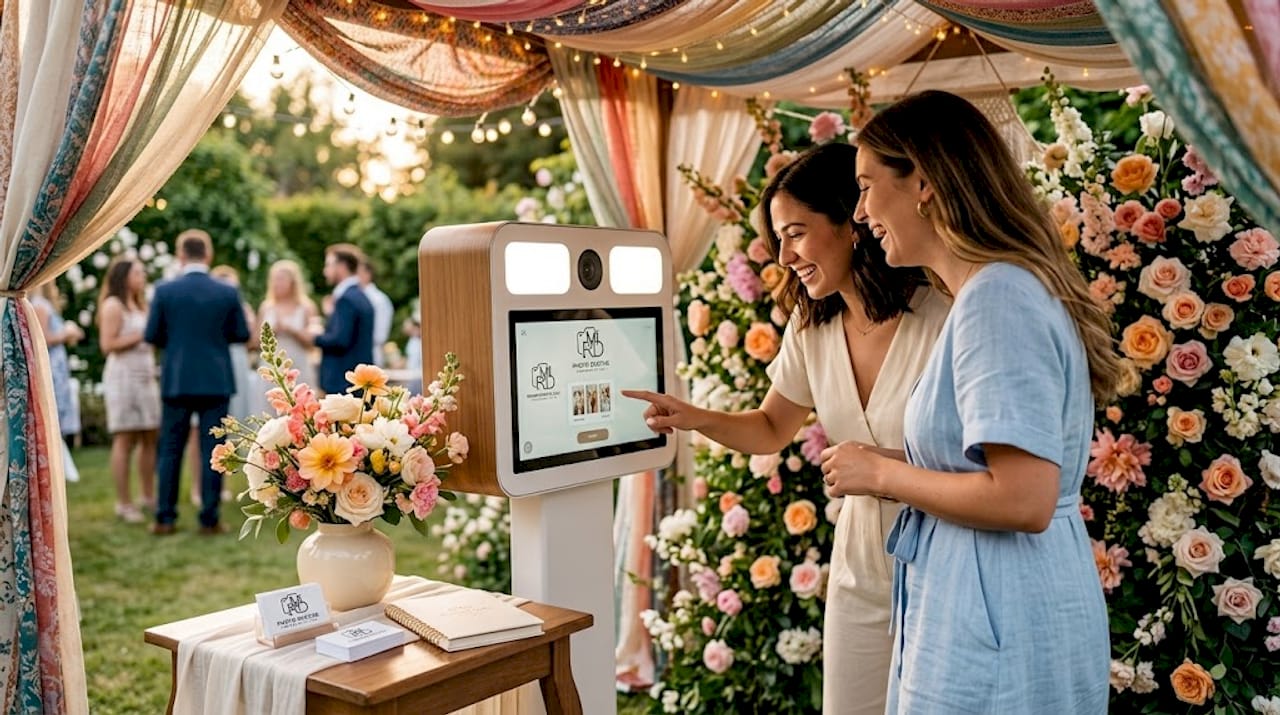
AI-driven customization now includes real-time background replacement, automated lighting correction, and personalized avatar transformations that reduce manual adjustments dramatically. Mirror booths, for example, use facial recognition to suggest poses and fine-tune lighting automatically. The result is consistently better photos without requiring a professional photographer on site.
Here is what is worth incorporating right now:
- AI background replacement. Guests can swap physical backdrops for virtual environments, which is perfect for corporate events where you want different branded backgrounds for different departments or award categories.
- Gesture and voice-activated controls. Touchless operation appeals to guests who prefer a hands-free experience and adds a genuinely impressive moment to the interaction.
- AI-personalized filters. Machine learning can analyze group size and ambient conditions to automatically optimize composition and apply the best filter for each group. This is especially useful at large events where booth attendants cannot assist every single group.
- Dynamic social sharing galleries. Guests receive their photos via SMS or email within seconds and share directly to social media using your custom event hashtag. One corporate client we worked with saw their branded hashtag trend locally within two hours of the event starting, purely because of instant social sharing from the booth.
- Real-time digital customization enables rapid visual changes and event-segmentation flexibility, which means you can flip the booth from cocktail hour branding to dinner reception branding in under three minutes.
These tech-driven photo booth features do not just improve photos. They create stories guests tell for weeks afterward.
Managing guest flow and keeping energy high
A beautifully customized booth that guests ignore or abandon after a long wait is a missed opportunity. Great photo booth experience enhancements mean nothing if the operation falls apart during the event.
Booth placement near high-traffic areas such as cocktail lounges or near the dance floor significantly increases participation. Visible signage that says “Free Photos” or displays your event hashtag generates immediate curiosity. Do not tuck the booth in a corner or behind a wall.
- Station a trained attendant at the booth throughout the event. Attendants reduce average session time by helping guests choose props quickly, positioning groups correctly, and handling minor technical hiccups on the spot.
- Use intuitive touchscreen interfaces with large buttons and clear instructions. Add voice prompts as a secondary guide for guests who are not immediately comfortable with the screen.
- Manage your queue visibly. A retractable belt stanchion and clear signage prevent line confusion. For events over 150 guests, consider a second print station so photos are ready before the next group finishes.
- Drive repeat visits with a live photo feed. Display a rolling slideshow of photos from the booth on a nearby screen or the event’s main projection wall. Seeing themselves on the big screen consistently brings guests back for a second round.
- Run a photo contest. Invite guests to vote on their favorite group shot via your sharing gallery. The winner gets a printed keepsake or a small prize. Contests alone can double repeat participation at corporate events.
Pro Tip: Brief your attendant on the event’s vibe and the host’s specific preferences before the first guest arrives. An attendant who knows the couple’s story or the company’s theme can actively encourage better, more personal shots.
Our perspective on what truly makes photo booths memorable
I have seen thousands of events, and the ones where guests are still talking about the photo booth a week later all share one quality: they felt intentional. Not expensive. Intentional.
What I have found is that most planners spend all their energy on the technology and forget the fundamentals. AI is genuinely exciting, and we use it constantly. But when the backdrop clashes with the props, or the overlay font feels disconnected from the wedding’s stationery suite, guests sense the inconsistency even if they cannot name it. Personalized photo booth experiences are about creating a unified story, not adding features.
My honest take: start with a single defining design decision and build everything else around it. For a wedding, let the bride’s bouquet florals drive the backdrop choice, the overlay color, and even the prop palette. For a corporate event, take your brand guidelines document and apply it with discipline to every single element. The visual consistency does more for brand recall than any individual tech feature.
The other thing I have learned is that traditional props still have a place alongside modern technology. Guests love picking up a physical sign or oversized glasses. The physical interaction creates a moment of connection that a voice-activated filter simply cannot replicate. The sweet spot is using technology to enhance the quality and shareability of the photo while keeping the human, tactile joy of the booth experience intact.
— RMD
See what Rmdphotobooths can create for your event
At Rmdphotobooths, we have built our reputation on one thing: making every event in San Antonio feel one of a kind. With over 1,000 five-star reviews and experience across weddings, corporate events, and private parties, we know exactly how to bring your vision to life.

From AI-powered photo booths that deliver watercolor portraits and real-time background transformations to traditional booths loaded with custom overlays and themed props, we offer photo booth customization options for every style and budget. Explore our full booth experiences to see what fits your event, browse our event gallery for real inspiration, or book your date now before it fills up. We would love to help you create moments your guests treasure forever.
FAQ
What is the most important step when customizing a photo booth?
Defining your event’s visual palette first ensures that every element, from backdrops to overlays, creates a cohesive experience rather than a collection of disconnected decorations.
How many props should a photo booth have?
Research shows that 15 to 20 quality themed props improve photo aesthetics and guest flow more effectively than a large collection of generic items.
Can I customize the photo booth differently for multiple event segments?
Yes. Digital-first customization platforms let you swap welcome screens, overlays, and templates between event segments in minutes without any physical changes to the setup.
Where should a photo booth be placed for maximum participation?
Place the booth near high-traffic zones like cocktail areas or the dance floor, and add visible signage to attract attention and drive immediate guest interest.
Do AI features really improve the photo booth experience?
Absolutely. AI features like automated lighting correction and real-time background replacement improve photo quality and reduce the need for manual adjustments, delivering better results for every guest.